

Build and Deploy a Modern Website in 5 Minutes

Table of Contents
- Step 1: The Idea (Lovable)
- Step 2: The Export (GitHub)
- Step 3: The Deployment (lowcloud + Hetzner)
In this tutorial, you'll learn step by step how to easily create a website with Lovable and deploy it cost-effectively on German servers using lowcloud. By the end, you'll have your own website with a live URL and automatic SSL.
In the past, creating your own website was complicated. You needed a designer, a developer, a server admin, and a clunky CMS. Today, there's a new, elegant approach that combines the best of all worlds: AI-powered generation, full code control, and automated deployment on high-performance infrastructure.
Prerequisites: What You Need
Don't worry, the list is short and you probably already have most of it:
- Lovable: An AI builder that translates your ideas into code.
- GitHub: Your "Single Source of Truth" that owns your code.
- lowcloud: A cloud deployment platform that connects Git repositories with cloud servers and automates deployments.
- Hetzner: A German cloud hosting provider that offers powerful and cost-effective server infrastructure. If you create an account through our link, you'll receive €20 in starting credit Hetzner
From AI Design to Live Server in 10 Minutes
The process is divided into three logical phases that seamlessly work together: Create (with Lovable), Export (to Git), and Deploy (with lowcloud). This separation makes sense because each phase has its strengths: Lovable for rapid idea implementation, Git for full code control, and lowcloud for automated, sovereign hosting. This way, you combine the speed of AI tools with the freedom of open source and control over your infrastructure.
Step 1: The Idea (Lovable)
With Lovable, you can quickly turn your website idea into code. How Lovable works is simple: You open the platform and enter either a description of your idea or a URL in the chat input field. Lovable processes your input and automatically creates the corresponding code. You don't need to know a programming language or make complex settings, as the AI handles the technical implementation for you. After creation, you can see the result directly in your browser and make adjustments via chat if needed.
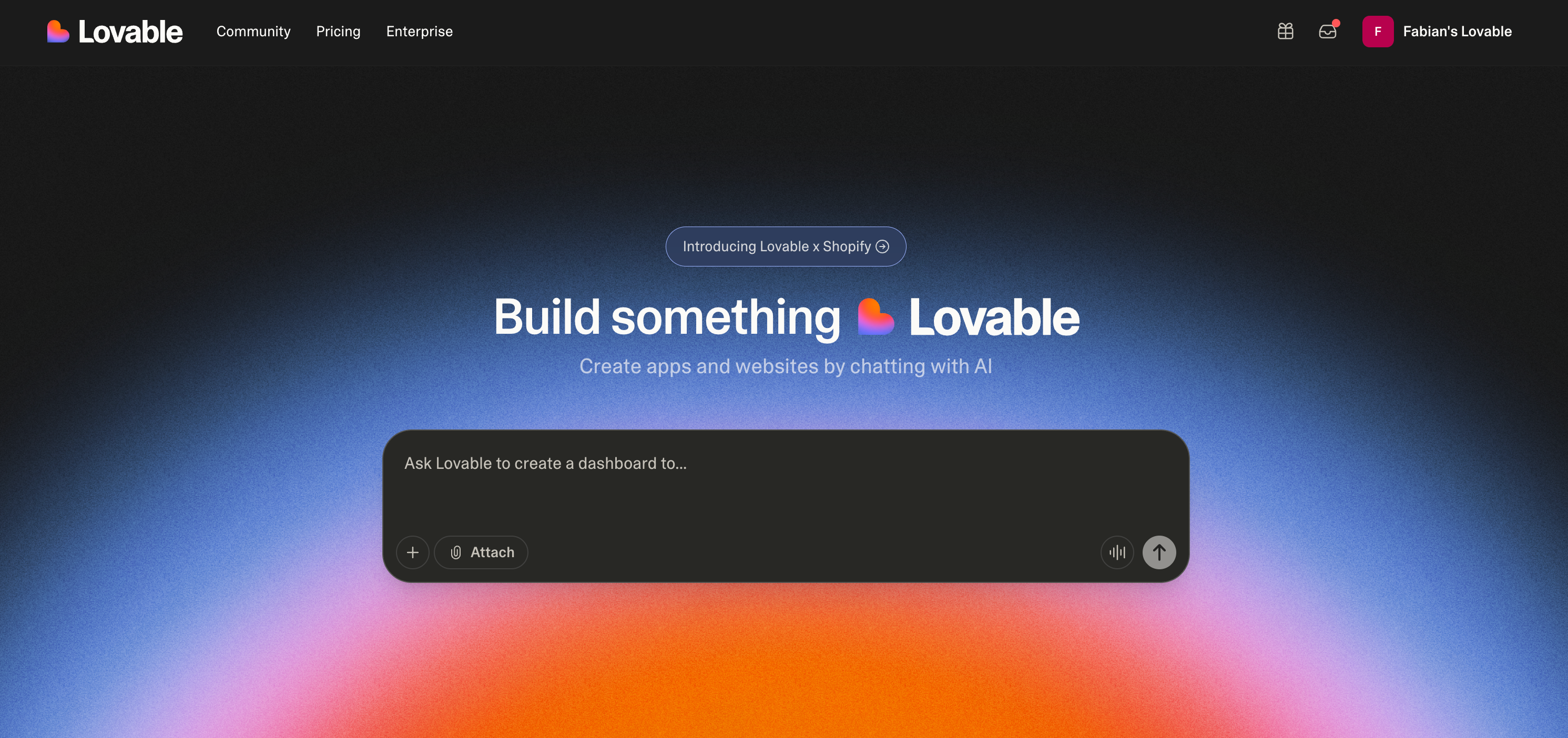
There are two ways to create a website:
- Generate an idea: You describe your website idea in natural language. Lovable can help create various types of projects: landing pages, SaaS applications, dashboards, e-commerce sites, or interactive web apps. You can describe design style, colors, layout, functionality, and even specific features. The AI generates a complete, functional project with clean code from this.
Example prompt:
Create a modern landing page for a SaaS app that automates email marketing.
The design should be dark with blue accent colors. The page should have the following sections:
- Hero section with headline and CTA button
- Features section with 3 main features
- Pricing table with 3 plans
- Customer testimonials
- Footer with links and newsletter signup
- The page should be responsive and use modern animations.
```
2. **Copy existing:** You can enter a URL of a website whose design you like. Lovable analyzes the page, extracts the design and structure, and creates a clean codebase from it. This is particularly useful if you have a specific design as inspiration or want to use an existing page as a starting point. You don't get copied code, but rather a clean, modern implementation with the same visual elements.
Example prompt:
```text
Copy the design from this URL:
https://example.com/landing-page
I want to:
- Adopt the hero design
- Keep the color palette
- Adjust the navigation
```
The result isn't a "website builder" where you're trapped. The result is **your own source code**.
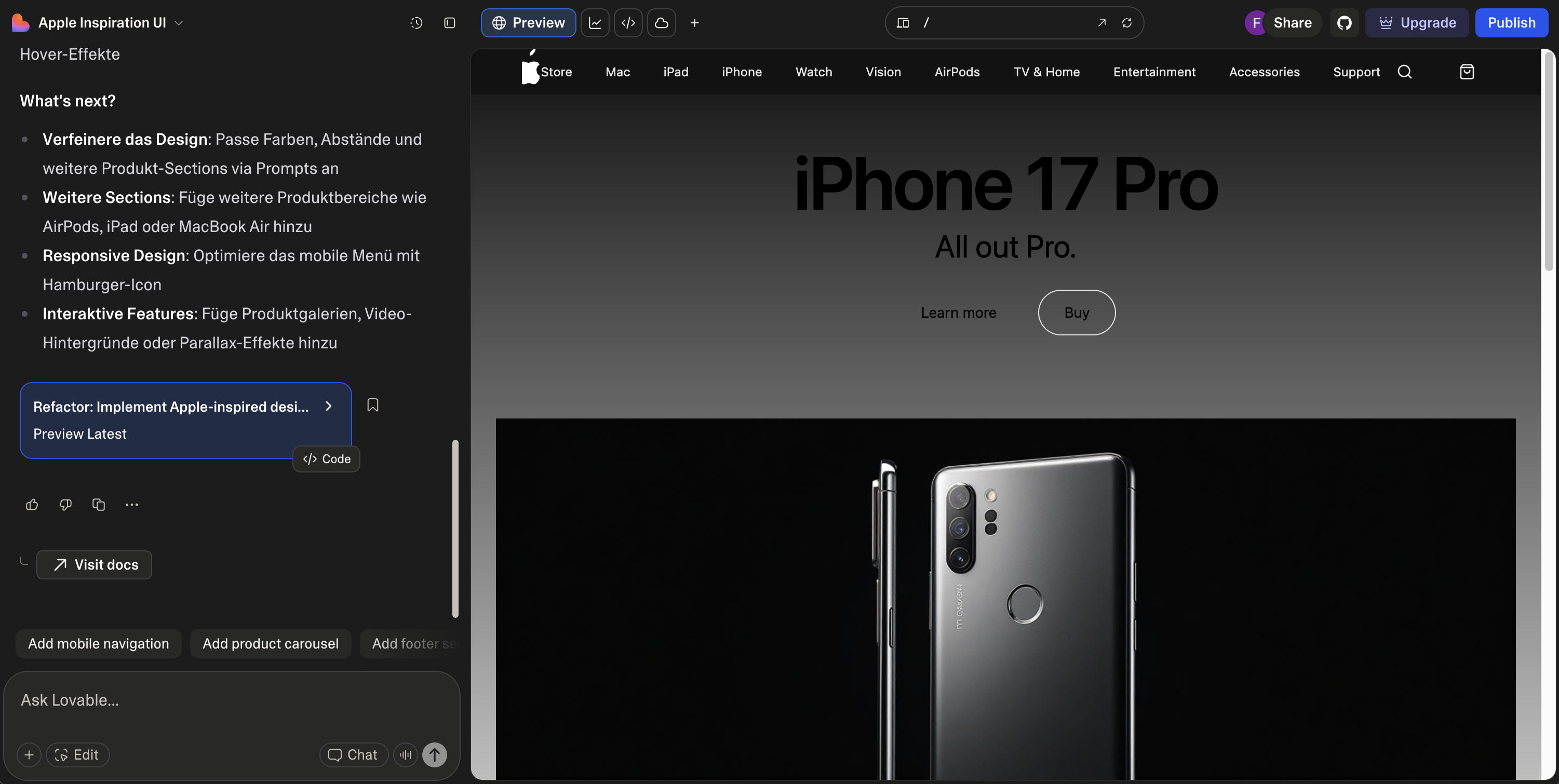
This example shows a copied Apple page. Small errors can be corrected via prompt, but the overall result is already impressive. The live preview shows the generated page in the Lovable editor. On the left, you can see AI suggestions for further improvements; on the right, the page preview. This way, you can work iteratively on the project and refine it step by step.
### Step 2: The Export (GitHub)
This is the crucial step. Once you're satisfied with your design in Lovable, you export the project. The export process is simple. You connect your GitHub account with Lovable and choose which repository the code should be pushed to.
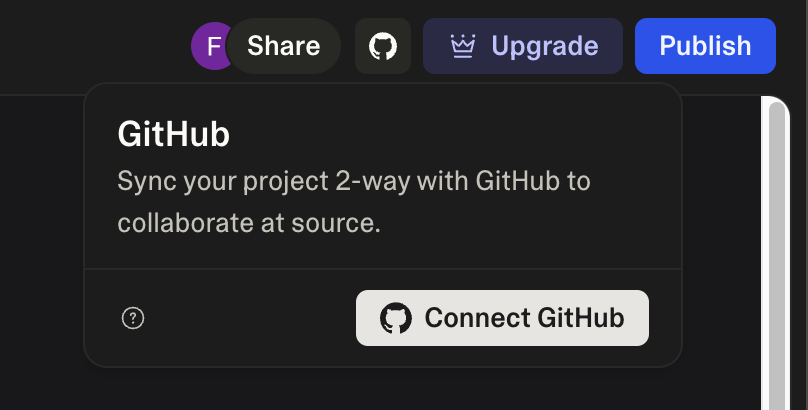
In the first step, you open the GitHub dialog and click "Connect GitHub" to connect your account.
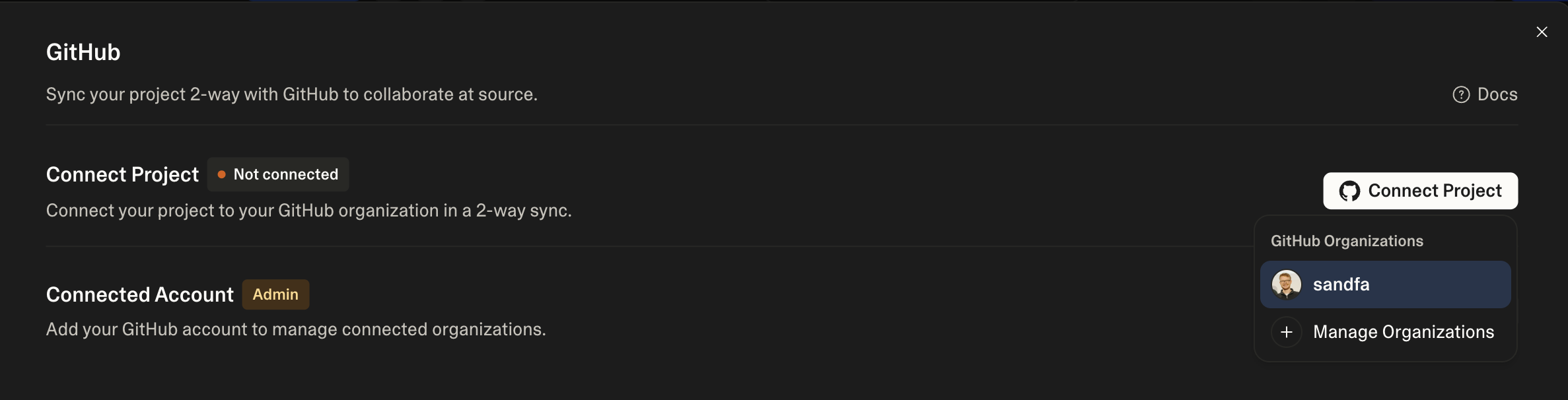
In the second step, you select your GitHub organization and connect the project. Lovable then automatically synchronizes the code in both directions.
Lovable automatically creates a clean project structure with all necessary files. Lovable 'pushes' all the code directly into a **Git repository** of your choice. The code is structured as a complete, functional project with build configuration and all source files. You can immediately clone the repository, continue developing locally, or deploy directly.
From this moment on, the code is 100% yours. It's no longer trapped in the Lovable platform. It's now a standard Next.js or React project that any developer understands and can continue working on. You have full control: You can modify the code, extend it, import it into other tools, or share it with your team. No vendor lock-in, no restrictions.
### Step 3: The Deployment (lowcloud + Hetzner)
Now that your code is on GitHub, it should go live. This is where [lowcloud](https://app.lowcloud.de) comes in.
lowcloud is a cloud deployment platform optimized specifically for hosting providers like Hetzner. The platform connects your Git repository with cloud servers and automates the entire deployment process. You don't need to manually configure servers or set up CI/CD pipelines yourself, as lowcloud handles all of that for you. The platform automatically detects your framework (e.g., Next.js, React, or others), builds the application, and deploys it on a server at Hetzner. Additionally, lowcloud takes care of SSL certificates, domain management, and automatic updates.
The process is simple:
- Connect Git: You link your GitHub account and select the repository exported from Lovable.
- Connect Hetzner: You link your Hetzner account with lowcloud. lowcloud then acts on your behalf to create and manage servers (VMs).
- Deploy: lowcloud deploys directly to your Hetzner account
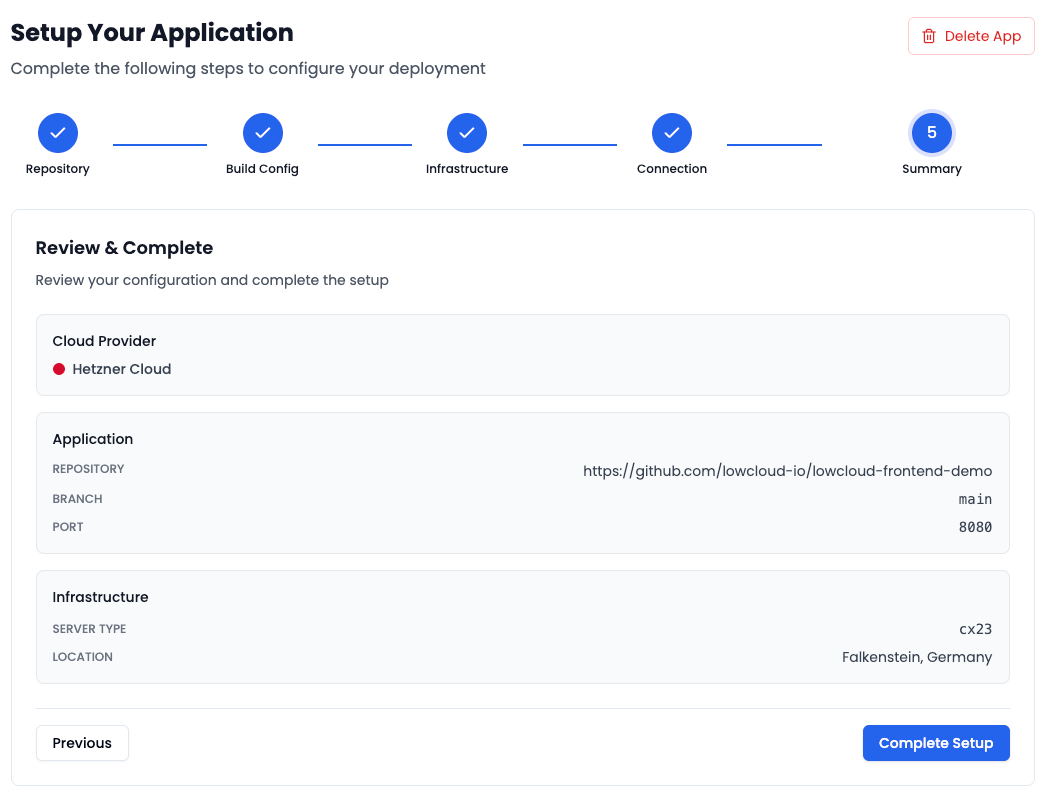
lowcloud guides you through a short, structured process. In the first step, you select the repository, i.e., the GitHub repository exported from Lovable. In the second step, you configure the build configuration. lowcloud automatically detects your framework and suggests the appropriate build settings. In the third step, you select the infrastructure. Here you choose Hetzner Cloud and the server location, for example Falkenstein in Germany. In the fourth step, you establish the connection. Here, the connection between lowcloud and Hetzner is established using an API token. In the final step, you see a summary of all configurations again. With a click on "Complete Setup", the deployment starts. From now on, your website is deployed directly under a live URL. You can, of course, also link your own domain with lowcloud afterward.
Conclusion
In just a few minutes, you've created a fully functional website that has gone from idea to going live.
With Lovable, you create in minutes what otherwise takes days or weeks, while the AI handles the technical implementation. Through the export to Git, all the code is 100% yours and you have full access at any time, can modify it, extend it, or share it with your team, without restrictions or vendor lock-in. Your website runs on German servers at Hetzner, is GDPR-compliant, and subject to European data protection regulations. No data transfer to third countries, no legal risks, no dependencies on US hyperscalers. Every Git push is automatically deployed with a click, so you never have to worry about manual server updates or deployment processes again. With Hetzner, you also have transparent pricing and full control over your server costs, without hidden fees or surprise bills.
This is the "red thread" for modern, efficient web development!