Setting Up Claude Code: A Beginner's Configuration Guide

You tried Claude in the browser, copy-pasted some code, and it was fine. As soon as a real project has more than three files, half your time goes into tab switching, and the other half into wondering which context is still in the chat.
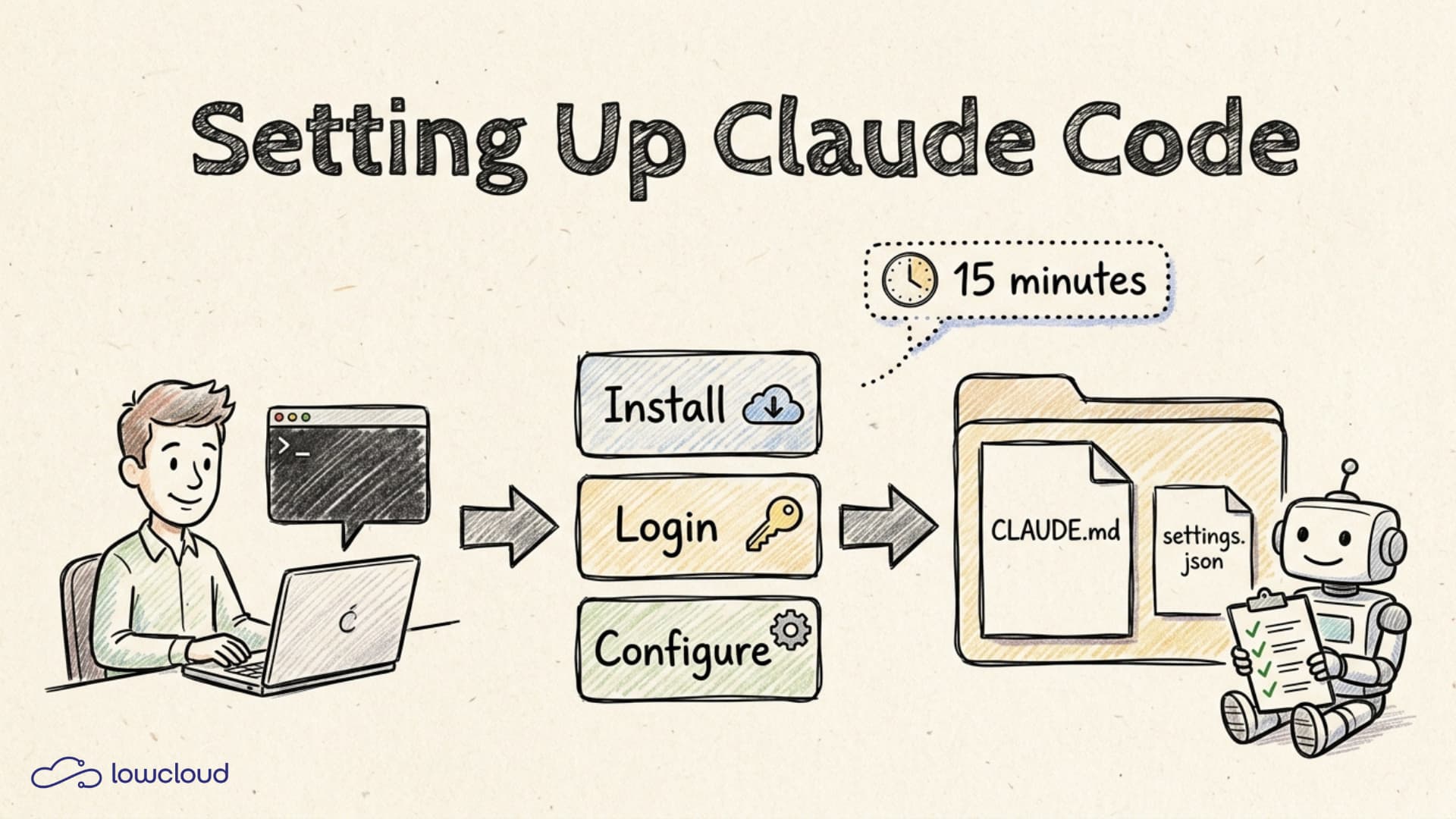
Claude Code is the CLI version that runs directly in your terminal, reads and writes your files, and runs your tests. This guide shows you in 15 minutes how to install, log in, and configure it cleanly so the jump from "nice toy" to "daily productive tool" actually happens.
Key takeaways
- 84 percent of developers use AI coding tools in 2026, and Claude Code plus Cursor together account for more than half of primary tool choices (digitalapplied.com, 2026).
- Installation is a single npm command:
npm install -g @anthropic-ai/claude-code, then runclaudeand log in via your browser (Anthropic Docs, 2026).- The
CLAUDE.mdin your project root is the single biggest lever. It is read at every session start and decides whether Claude knows your conventions or guesses them (HumanLayer, 2026).- Four permission modes (default, acceptEdits, plan, bypass) decide when Claude asks. Plan mode is the safe default for any non-trivial task (Anthropic Docs, 2026).
What is Claude Code and when do you pick it over the web app?
Claude Code is a CLI tool that gives Claude direct access to your filesystem, your shell, and your Git repos. The web app and Artifacts are great for single HTML pages and brainstorming, but as soon as your project spans multiple files, you spend your time shuttling context in and out of the browser. Claude Code handles that itself.
Concretely: you open a terminal, change into a project directory, run claude, and type what you want done. The tool figures out which files are relevant, proposes changes, can write them directly, run tests, and create Git commits. For beginners, the most important consequence is that you do not need to know upfront which files Claude should see.
A Q1 2026 survey shows 28 percent of professional developers picking Claude Code as their primary AI coding tool, ahead of Cursor with 24 percent (digitalapplied.com, 2026). The difference lies in the model behind it: Claude Code is agentic, so it plans and executes several steps in sequence instead of waiting for each prompt. If you're still unsure which tool fits, see Claude Code, Copilot and Cursor compared.
How do you install Claude Code in five minutes?
On macOS, Linux, and Windows with WSL you only need Node.js 18 or later and an Anthropic account. A single npm command installs the tool, and the first run opens a browser for login.
Step by step:
- Check Node:
node --versionin your terminal. If you see anything below 18 or nothing at all, install Node through nvm. nvm puts Node in your home directory and avoids the permission errors thatsudo npm installregularly triggers (Anthropic Docs, 2026). - Install:
npm install -g @anthropic-ai/claude-code. On macOS,brew install claude-codeworks too; on Debian and Ubuntu, an officialaptrepository has been available since 2026. - Start it: in a project directory, just type
claude. On first run, your browser opens, you log in with your Anthropic account, and the token lands on your machine automatically. - Sanity check: "Explain what is in this directory" as your first prompt. If you get a sensible answer, everything works.
If you use Pro at 20 dollars per month, Claude Code is included for learning and light daily use. Anyone coding for several hours per day comes out ahead with Max at 100 dollars per month versus raw API billing (Anthropic Pricing, 2026).
What belongs in your first CLAUDE.md?
The CLAUDE.md in your project root is a Markdown file that Claude reads automatically at every session start. It is the single biggest lever for output quality because Claude knows your conventions before it writes a single character.
Run /init first. The slash command crawls your project and proposes a starter CLAUDE.md. Do not adopt it blindly; trim it to the essentials. HumanLayer states the rule plainly: when CLAUDE.md gets too long, half of it is ignored because the important rules drown in the noise (HumanLayer, 2026).
What goes in:
- Stack and versions: "Next.js 15, TypeScript strict, pnpm".
- Build and test commands:
pnpm dev,pnpm test,pnpm lint. Claude runs them itself. - Code style rules that are not derivable from the code: for example "no default exports" or "no inline styles".
- Hard no-gos: "Never touch
.envfiles", "No schema migrations without asking".
What does not belong: anything a linter or formatter does better. If ESLint and Prettier already enforce it, you do not need to spell it out a second time.
Which configuration actually pays off?
Four knobs are enough for the start: settings.json for permissions, the most important slash commands, the right permission mode for the task at hand, and a deliberately chosen model.
settings.json lives either globally at ~/.claude/settings.json or per project at .claude/settings.json. It controls which Bash commands Claude can run without asking and which files are off limits. The default recommendation: deny .env, secrets/, and node_modules explicitly, and allow your build commands (claudefa.st, 2026).
The slash commands that matter on day one:
/helplists every available command./clearresets the context when you start a new sub-topic./modelswitches between Sonnet (fast, cheap) and Opus (better for complex tasks)./initcreates or refreshes theCLAUDE.md.
Permission modes control how often Claude pauses before an action. Cycle through them with Shift+Tab:
| Mode | What happens | When to use it |
|---|---|---|
| Default | Claude asks before every edit and every Bash call | When you are new and want to see every step |
| acceptEdits | File edits run automatically, Bash commands still prompt | In long sessions where you review via git diff |
| plan | Claude reads and plans, writes nothing | Before any non-trivial task, especially in unfamiliar code |
| bypass | Everything runs without asking | Only for throwaway scripts in isolated sandboxes, never in your main project |
Plan mode is the one most experienced users open every new task with (Anthropic Docs, 2026). You let Claude research and present a plan first, you check it, and only then execution begins.
What we learned from a year of Claude Code at lowcloud
At lowcloud we have been using Claude Code daily since early 2025, for our own landing page, for internal tools, and for customer setups. Four things have proven themselves clearly.
First, CLAUDE.md has to live. We update it after every larger refactor and after every time Claude walked into a trap we had not documented. An outdated CLAUDE.md is worse than none at all because it actively steers in the wrong direction.
Second, plan mode pays off almost every time. Even for seemingly small tasks we ask for a plan, skim it for five seconds, and then decide. That saves a half hour of correction work later.
Third, small steps beat big prompts. "Refactor auth completely" reliably produces junk. "Move token validation out of the middleware into its own function and write two tests for it" produces a commit that is ready to merge.
Fourth, every step of a session gets its own Git commit. When Claude takes a wrong turn, git reset becomes a one-second affair. Without commits you will either lose work or spend hours cleaning up.
Which beginner mistakes cost you the most time?
The five most common mistakes all come from the same root: treating Claude like a magic wish-pony rather than a very capable junior team member.
- No
CLAUDE.md: Claude guesses your stack, your conventions, your tools. Result: code that looks fine on first glance but does not fit anywhere in your project. - Prompts that are too big: anyone packing a full feature spec into a single prompt gets a full feature spec worth of bugs back. Break the task into two or three clear steps.
- No Git: without commits there is no reverse gear. Make a commit before each session and after each sub-step.
- Bypass mode out of laziness: comfortable in the first hour, expensive in the second when Claude has drifted and you missed it. Stay in default or acceptEdits.
- No re-plan on drift: as soon as a session moves in a direction that no longer fits, restart or go back to plan mode. Negotiating in the same session rarely works.
Frequently asked questions
Which plan is enough to start with?
Pro at 20 dollars per month is enough for learning, hobby projects, and a few hours per day. Anyone using Claude Code professionally hits the Pro limits quickly and should move straight to Max 5x at 100 dollars per month (Anthropic Pricing, 2026).
Which model should beginners use?
Sonnet is the default and covers around 90 percent of tasks. Switch to Opus with /model when you need a complex architectural decision or when Claude has gone in the wrong direction twice in the same session. Opus is noticeably more expensive and slower, but it is the right choice for the hard cases.
Does Claude Code work on Windows?
Yes, via WSL (Windows Subsystem for Linux) from Windows 10 onward. A native Windows build has existed since 2026, but WSL stays the clean path because many build tools expect Linux underneath (Anthropic Docs, 2026).
Do I need Git knowledge?
git init, git add, git commit, git reset --hard. Nothing more for the start. Claude can help you learn the rest, but the safety net for your work is something you have to set up yourself.
Conclusion
Setting up Claude Code is a lunch-break task: check Node, run the npm command, log in, create a CLAUDE.md, configure settings.json roughly, done. The real learning kicks in during your first sessions, when you notice that plan mode is not a detour and that small steps lead to the goal faster. If you avoid the five beginner mistakes, you will have a tool in your hands within a week that makes the leap from browser copy-paste to real project work feel effortless.
If your first project is ready to go live now, this is the next step: building and deploying a website with Claude Code.
Your First Website with Claude: A Beginner Guide with Prompts
Build your first website with Claude, no coding skills needed. Concrete prompt examples, a step-by-step path, and the patterns that really work.
Vibe Coding: The Typical Deployment Problems
Vibe-coded apps run locally but break in production. The most common deployment problems, from missing secrets to an exposed database, and how to fix them.