Your First Website with Claude: A Beginner Guide with Prompts

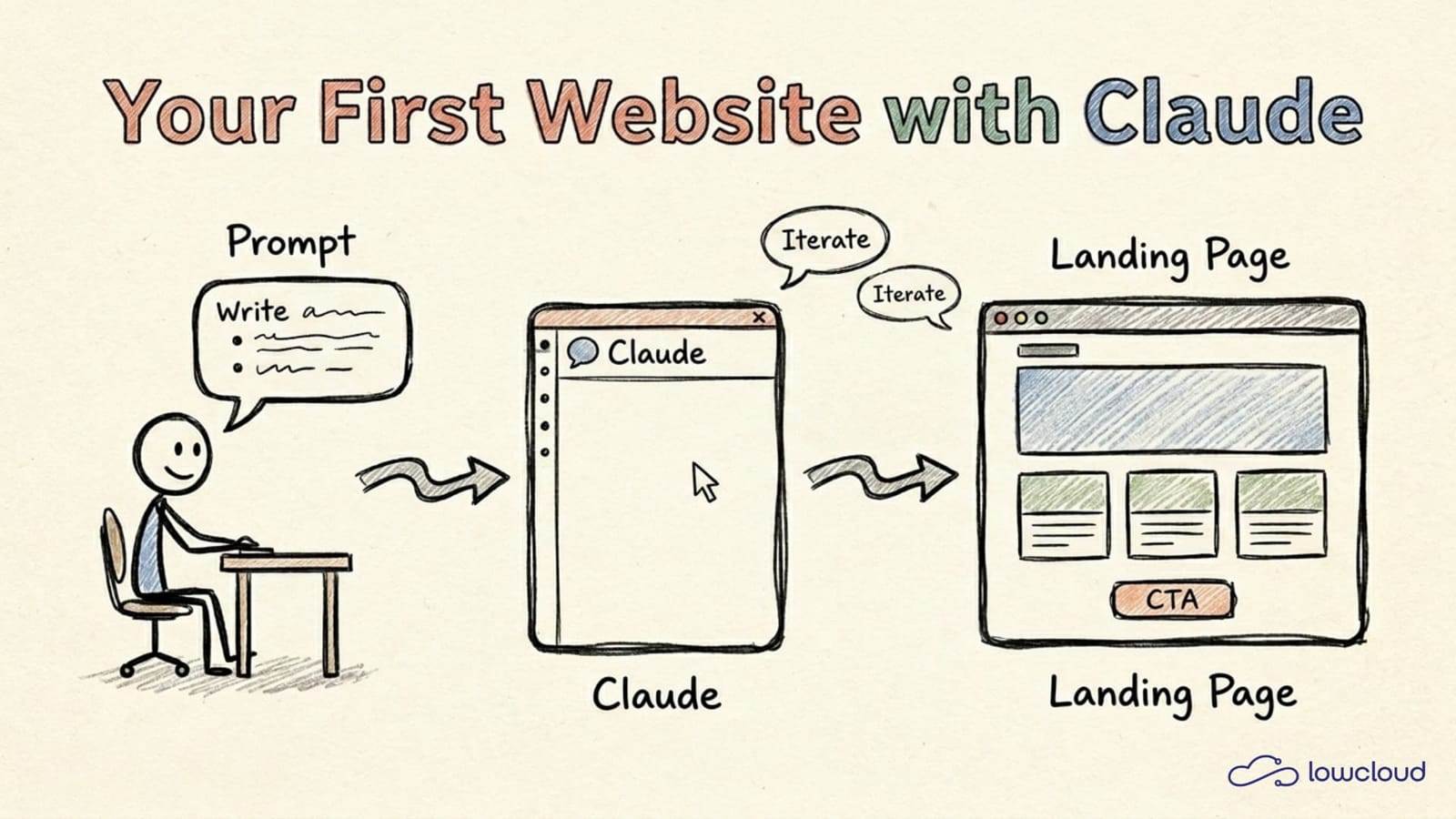
You have an idea for a website but you cannot code? Claude was built for exactly this moment. You describe what you want and you get back a working page that you can view in your browser right away.
This guide shows you how to go from a blank idea to a first website in under an hour. The focus is on prompts: what you actually type so that something useful comes out the other end. No magic, but a handful of patterns that make the difference. If you prefer working in the terminal, jump to our Claude Code setup guide.
The key points
- With Claude Artifacts you do not need any coding skills. You describe the site in plain language, Claude generates HTML, CSS and JavaScript.
- 63 percent of users of AI-assisted code creation are non-developers (Hostinger, 2026). Adoption among non-technical users grew 520 percent in a single year.
- Your first prompt should read like a short brief: what the page is, who looks at it, what content it needs, and the tone.
- Artifacts have been free for all Claude users since February 2026, including HTML export and sharing.
What is Claude Artifacts and why is it enough for a first site?
Claude Artifacts is a feature that shows you the finished result in a separate panel next to the chat. Type "Build me a landing page for my dog trainer", and a real HTML page appears that you can click, scroll, and try out (Claude Help Center, 2026).
For a first website, that is often all you need. You can build single-page landing pages, portfolios, simple business-card sites or interactive calculators. The page runs in the browser, you can download it as an HTML file and upload it to any web host you like.
Three things to keep in mind. First: Artifacts does not persist anything server-side, everything happens in the browser. Second: complex multi-page sites or apps with login belong in Claude Code, not Artifacts. Third: what Claude generates is normal code. You or a developer can adjust every line later.
How do you write a good first prompt?
The best first prompt does not read like a search query. It reads like a short brief to a freelancer. Claude delivers visibly better results when you give it the purpose, the audience, the desired pages and the tone in the first shot (Claude API Docs, 2026).
A briefing prompt has four building blocks: the what, the for-whom, the how, and the with-what. What kind of page it is, who looks at it, what mood it should have, and which sections you concretely need. Naming these four points saves you three to five correction rounds.
Here is a prompt you can copy and adapt to your topic:
Build me a single-page landing for my yoga studio "Studio Nord".
Audience: working professionals between 30 and 50 in Hamburg.
Tone: calm, friendly, no esoteric phrases.
Sections, top to bottom:
1. Hero with title, subtitle, and a button "Book trial class"
2. Three courses as cards (Vinyasa, Yin, Pranayama)
3. About me, short text plus image placeholder
4. Schedule as a simple table
5. Contact with email and address

Design: warm beige tones, plenty of whitespace, sans-serif type.
Mobile-first, everything in one HTML file.
Notice what is important: you do not say "make it pretty", you name a concrete mood. You list sections in the order they should appear. And you set a technical constraint, in this case the single HTML file.
Which prompt patterns work over and over?
Three patterns come up in every website iteration we run. They save time and tokens, and they lead to code you can actually adapt later.
Pattern 1: Role prompting. You start by telling Claude who it should be for this task. This sharpens the output measurably because Claude sticks to the conventions of that role (Anthropic, 2026).
You are an experienced web designer who has worked with German
mid-sized businesses for ten years. You write clean, semantic
HTML and avoid bloated frameworks. Build me [description].
Pattern 2: The constraint list. You list what the page must not contain. It looks unspectacular, but it is the strongest weapon against generic output.
Important, what the page MUST NOT have:
- No stock-photo-style hero images of people laughing at laptops
- No pink gradients
- No Bootstrap, no Tailwind, only handwritten CSS
- No cookie-banner placeholders
- No filler phrases like "innovative solutions" or "passionate experts"
Pattern 3: Iterate instead of restart. Instead of crafting one mega-prompt, you send a short version and correct from there. Claude keeps the context inside the same chat, just like a real conversation with a designer.
First prompt: "Build me a landing page for my pottery studio."
Second prompt: "Make the hero quieter, smaller type, less contrast."
Third prompt: "Replace the three cards with a six-slot image gallery."
Fourth prompt: "Last section: contact form with email field and phone."
Which path fits your project?
Claude offers you three different routes to building a website. The right one depends on how big your project is and whether you plan to maintain the site yourself later.
| Tool | Good for | Limit | Code access |
|---|---|---|---|
| claude.ai Artifacts | Single page, mockup, prototype | One file, no persistence | HTML download |
| Claude Desktop app | A few pages, small project | Dozens of files | Local project folder |
| Claude Code (CLI) | Real software project, deploy | Full codebase, Git | Full terminal access |
If you are testing a single landing page or building a client mockup, Artifacts is enough. As soon as you need several subpages, a blog, or a contact-form endpoint, it pays to switch to Claude Code. We covered a full walk-through in our post on building a website with Claude Code.
A detail from practice: Artifacts only keeps the current version. If you have a long iteration path ahead, switching to the desktop app or Claude Code pays off because you have real files on disk and can version them with Git.
What we see with beginners in practice
At lowcloud we regularly accompany people without a coding background as they build their first website with Claude, often solo freelancers and small associations. Three observations after dozens of sessions.
First: the most common beginner mistake is not too little prompt, it is too much. If you stuff five sections, three colour palettes, four animations and two languages into the first prompt, you get mush. Start small and reach the target version in ten short iterations.
Second: text beats design. If the copy is good, the page feels professional even with a default layout. If the copy is filler, no design can save it. In those moments we ask Claude to suggest alternative copy.
Third: hosting is not the problem. 92 percent of professional developers now use AI tools daily (Hashnode, 2026). What blocks most beginners is not the code but the question where the site should actually live. A static HTML file runs on any classic web host. If you know early that your site will grow, look at a platform that grows with you.
Frequently asked questions
Do I need a paid subscription for Claude Artifacts?
No. Since February 2026, HTML artifacts, diagrams and sharing are part of the free Claude plan. The paid plan gives you higher limits and access to Claude Code, but it is not required for a first website.
How do I publish the finished site online?
Download the generated HTML file and upload it to a web host. For static pages, classic providers like Hetzner, all-inkl or Netlify are enough. If you own a domain, you only have to point its A record to your host. For the full picture of what going live involves, see how to publish an app without coding knowledge.
What if Claude builds a section incorrectly?
Say it concretely. Instead of "I do not like it" write "the hero is too dark and the type is too small". The more precise your feedback, the better the next result. Keep the chat open so Claude retains the context.
Can a developer keep working on the code later?
Yes, and it is recommended. The generated HTML and CSS is standard, no proprietary dependencies. You or a developer can change any line. That is a big difference to classic no-code builders that lock you into their system.
Which language should I prompt in?
German works well, especially for the copy on the site. For technical instructions ("build a responsive three-column grid"), English is often a touch more precise, but it is not mandatory. Try what feels natural for you.
Conclusion
Building a first website with Claude is not a matter of coding skills, it is a matter of good briefings. If you bring a clear purpose, a concrete audience and a short list of sections, you can have a result in under an hour that you can put live. Iterate in small steps, name constraints, and let Claude suggest copy when you are stuck.
When your project outgrows the single landing page, read our walk-through on building and deploying a website with Claude Code. There we show how to turn the browser mockup into a real project with Git, deployment and sovereign infrastructure.
lowcloud vs. Dokploy: Multi-node self-host or managed?
Dokploy is the Docker-Swarm-native self-hosted PaaS with over 30,000 GitHub stars. When does your own cluster pay off, and when does a managed platform like lowcloud?
Setting Up Claude Code: A Beginner's Configuration Guide
Get Claude Code running in 15 minutes: install, login, CLAUDE.md, and the settings that actually matter for your first real coding session.