lowcloud vs. Dokploy: Multi-node self-host or managed?

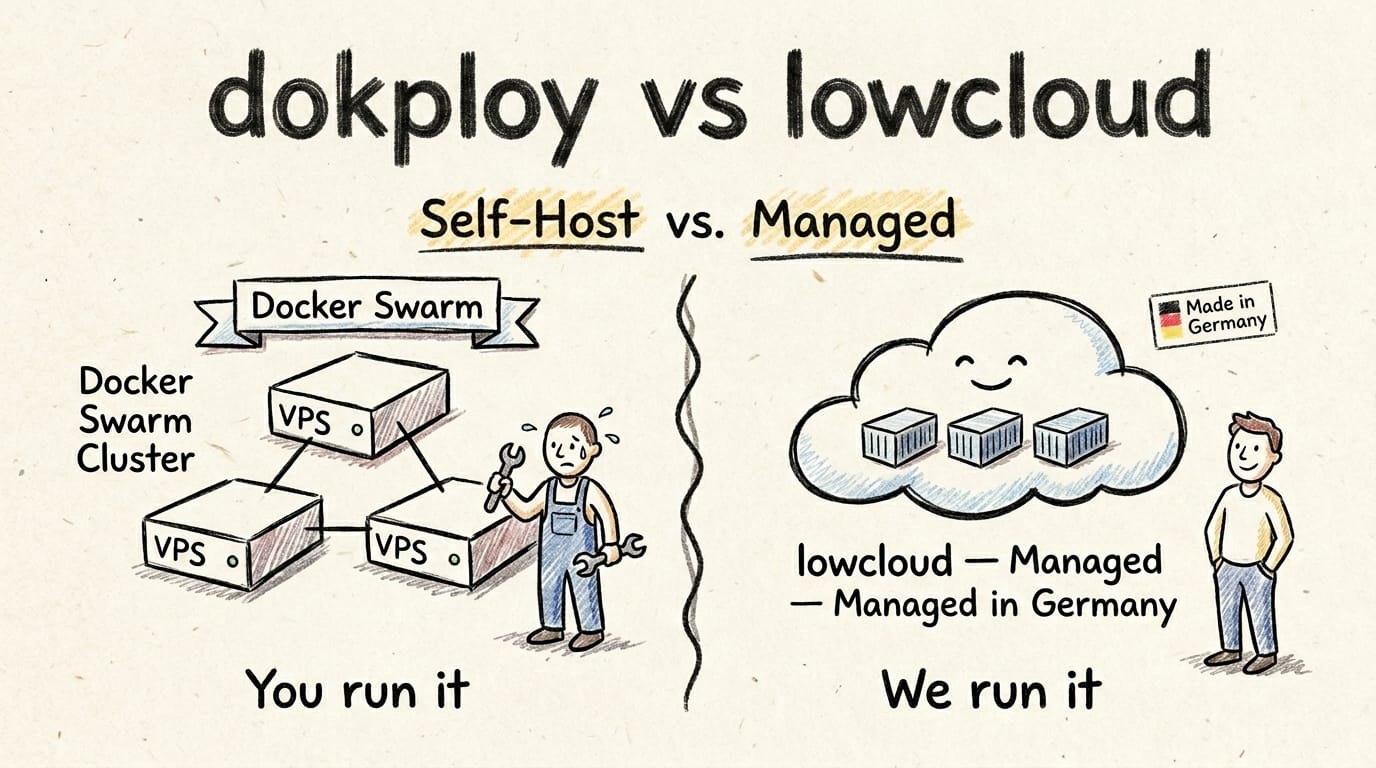
lowcloud vs. Dokploy: Which path is right for you?
Anyone looking for a Heroku alternative in 2026 will almost certainly end up with either Coolify or Dokploy. Both promise Heroku-grade comfort on your own hardware, both are open source, and both have collected a serious pile of stars over the past 18 months. Dokploy crossed 34,000 GitHub stars by May 2026 (Dokploy GitHub, 2026).
Dokploy and lowcloud solve a similar problem in very different ways. Dokploy is Docker-Swarm-native and was built for teams that want to run their own cluster across multiple nodes. lowcloud takes that cluster and its operation off your plate entirely and bills per container. This comparison shows which model fits which team, and where the real trade-offs are hiding.
Key takeaways
- Dokploy is the only major self-hosted PaaS with native Docker Swarm support. Worker nodes are added directly from the dashboard, without manual Swarm configuration (Cherry Servers, Coolify vs Dokploy, 2026).
- Dokploy idles at roughly 0.8 percent CPU and 350 MB RAM, well below Coolify's 500 to 700 MB (MassiveGRID, Dokploy vs Coolify vs CapRover, 2026).
- Dokploy Cloud Hobby costs 4.50 USD per server per month, the Startup plan starts at 15 USD/month for three servers, without a German DPA process (Dokploy Pricing, 2026; Contabo Blog, Coolify vs Dokploy, 2026).
- lowcloud containers start at 3 EUR per month (tier S, 0.5 vCPU / 1 GB RAM), billed hourly and fully managed in Germany with a German DPA.
Which four criteria actually matter
When choosing between Dokploy and lowcloud, four points matter in practice: the operating model, the compliance situation, the real total cost including operational hours, and the skills already in the team. Pick the operating model wrong and you build effort into the exact slot where your team has no spare capacity.
Dokploy is a self-hosted PaaS that you run on your own VPS or bare-metal servers. Dokploy Cloud is the managed flavour from the maintainers, very cheap but hosted outside Germany. lowcloud is a fully managed container platform with servers in Germany and German contracts. These three options can be measured against the same four criteria.
Comparison table
The table below puts the three realistic options side by side. Pricing refers to a typical workload with 2 to 3 small containers.
| Criterion | Dokploy (self-hosted) | Dokploy Cloud | lowcloud |
|---|---|---|---|
| Operating model | DIY on your own VPS | Managed by Dokploy | Managed in Germany |
| License | Open source (dual-license) | Proprietary hosting | Proprietary, managed |
| Pricing start | from ~16.50 EUR/month (Hetzner CPX31) | from 4.50 USD per server/month | from 3 EUR/month per container (tier S) |
| GDPR/DPA responsibility | yours | Dokploy (outside Germany) | lowcloud (Germany) |
| Multi-node / Swarm | native, one command per worker | native | transparent to you |
| Updates and CVE patches | your team | Dokploy | lowcloud |
| German-language support | no | no | yes |
| One-click templates | ~20 per servercompass (Cherry Servers counts 200+ incl. Compose templates) | ~20 | none, code-first |
| Backup and restore | manual, volume backups available | managed | daily, automatic |
| Idle footprint on host | 0.8 percent CPU, 350 MB RAM | none on your side | none on your side |
The most interesting row is multi-node. Dokploy's USP over Coolify is its native Swarm integration, which turns several servers into a single cluster and distributes load automatically (daily.dev, Dokploy vs Coolify, 2026). That same strength turns into a trap the moment nobody on the team actually wants to operate Swarm.
When Dokploy is the right call
Dokploy makes sense if you have Docker and Linux skill on the team, you already run several VPS, and you genuinely need multi-node deployments. For homelabs, technically savvy solo devs, and teams with in-house ops experience, Dokploy is often the soberly better choice over any managed service.
Typical Dokploy scenarios from our migration practice:
- Homelab and indie devs who already run servers and do not put a price tag on their own hours.
- Multiple VPS in one setup where Swarm clustering offers a real advantage over single-node solutions.
- High container density per host, because Dokploy's 0.8 percent CPU and 350 MB RAM footprint leaves a lot of headroom.
- Learning and experimentation, because operating the stack teaches you a lot about Docker, Traefik, and Swarm networking.
Over the past two years Dokploy has gone from newcomer to a serious platform, and it supports Heroku Buildpacks, Nixpacks, and Paketo alongside classic Dockerfiles (Contabo Blog, Coolify vs Dokploy, 2026). Anyone running it in production should realistically budget for three things: a clear update regime, a tested backup-and-restore path, and someone on the team who can debug Swarm when a node misbehaves.
When lowcloud is the right call
lowcloud fits when your team wants to ship code instead of operate a cluster, and when compliance and DPAs should come from the provider. For B2B products under GDPR, a managed PaaS from Germany is, soberly, the much less risky option than a self-operated Swarm.
Typical lowcloud scenarios:
- B2B SaaS with enterprise customers who ask for a DPA and a record of processing activities.
- Teams without a dedicated DevOps engineer who do not want to burn engineering hours on server maintenance.
- Mid-sized companies that require German contracts and German-language support.
- Products with high availability requirements where a Swarm node failure on a weekend is not an option.
The difference to Dokploy is not primarily technical, it is operational. Both platforms can deploy containers, both support GitOps and automatic certificates via Traefik. The difference lies in the responsibility model: with lowcloud, updates, backups, monitoring, and compliance documentation come from one provider. With Dokploy, that is all your job, including the cluster state across your Swarm nodes. If you want a more fundamental comparison, our PaaS and DaaS breakdown is a more honest reference than any marketing PDF.
What we actually see in Dokploy migrations
We regularly migrate teams from Vercel, Heroku, and self-hosted setups to lowcloud. Dokploy migrations usually arrive after one of three triggers.
First, a Swarm node that does not rejoin the cluster after a reboot. If you have never debugged Swarm before, you can easily spend a full weekend on it, only to discover that your backup-restore script has not been tested in months. Second, an update that has wrecked the reverse proxy. Fixing a Traefik configuration after a major version bump is a different sport when the customer is opening a ticket asking why the app is down. Third, a compliance audit where a customer suddenly demands a DPA, a record of processing activities, and a clean sub-processor chain. A self-operated Dokploy on a foreign VPS provider rarely fits into that vendor documentation.
What we have learned from these migrations: self-hosted PaaS is never truly free. The price simply sits in a different row of the balance sheet. The 75 percent savings that srvrlss reports for a Hetzner-vs-DigitalOcean comparison over three to five side projects (srvrlss, Dokploy vs Coolify vs DigitalOcean, 2026) are real, as long as your time is worth nothing. For hobby projects and learning setups, that is an excellent deal. The moment revenue rides on the platform, the math shifts.
Frequently asked questions
Can I migrate from Dokploy to lowcloud?
Yes. If your app runs in a container, a migration typically takes a few days. We offer the migration from existing Dokploy setups free of charge and handle configuration, data migration, and DNS cutover without downtime. If you would rather leave a classic hoster, our overview of the best Heroku alternatives in 2026 offers more comparison points.
Is Dokploy GDPR-compliant?
Dokploy itself is just software. GDPR compliance is created by the way you operate it: where the server runs, who has access, where backups live, and whether you have a DPA. With self-hosting, all of that is your responsibility. With Dokploy Cloud, the DPA comes from the provider, but not from Germany. With lowcloud, the whole package comes from Germany with a German DPA.
Is Dokploy production-ready?
For single-node setups and small clusters, yes. For business-critical multi-node clusters, only if you have someone on the team who confidently knows Docker Swarm. With over 30,000 GitHub stars, Dokploy is a mature platform, but Swarm itself is a technology that is less widespread in production than Kubernetes or single-host Docker. When things break, community help is correspondingly thinner.
What does a self-hosted Dokploy setup really cost?
Pure server cost is 16 to 60 EUR per month for a small to medium Hetzner VPS. On top of that come operational hours for updates, monitoring, backup verification, CVE response, and the occasional Swarm incident. With realistic hourly rates, the all-in cost easily reaches 200 to 500 EUR per month. For solo devs that is often still cheaper than Vercel, but not as dramatically as hardware-only comparisons suggest.
Dokploy or Coolify?
If you have already decided to self-host, Dokploy is the option with real multi-node Swarm and the smallest footprint, while Coolify has the richest feature set and the broader template library (servercompass, Best Self-Hosted PaaS 2026, 2026). For single-node and convenience: Coolify. For several servers in one cluster: Dokploy. We put Dokploy and Coolify head-to-head, and compared both against managed hosting in the Coolify comparison.
Conclusion
Dokploy is a technically strong self-hosted PaaS and, for teams with Docker Swarm experience, one of the best options on the market. With Linux skill, time, and no compliance problem, you can take it very far. As soon as compliance, German-language support, or predictable total cost enter the picture, the equation shifts noticeably towards managed platforms. lowcloud is built for exactly that case: containers in Germany, a German contract, German support, and no Swarm cluster you have to keep alive yourself.
If you are unsure which path is right for you, book a short demo and we will walk through your setup together.
lowcloud vs. Coolify: Self-hosted PaaS or managed?
Coolify is the most popular self-hosted PaaS with 55,000+ GitHub stars. When does self-hosting pay off, and when does a managed platform like lowcloud make more sense?
Your First Website with Claude: A Beginner Guide with Prompts
Build your first website with Claude, no coding skills needed. Concrete prompt examples, a step-by-step path, and the patterns that really work.