PaaS vs. DaaS: What

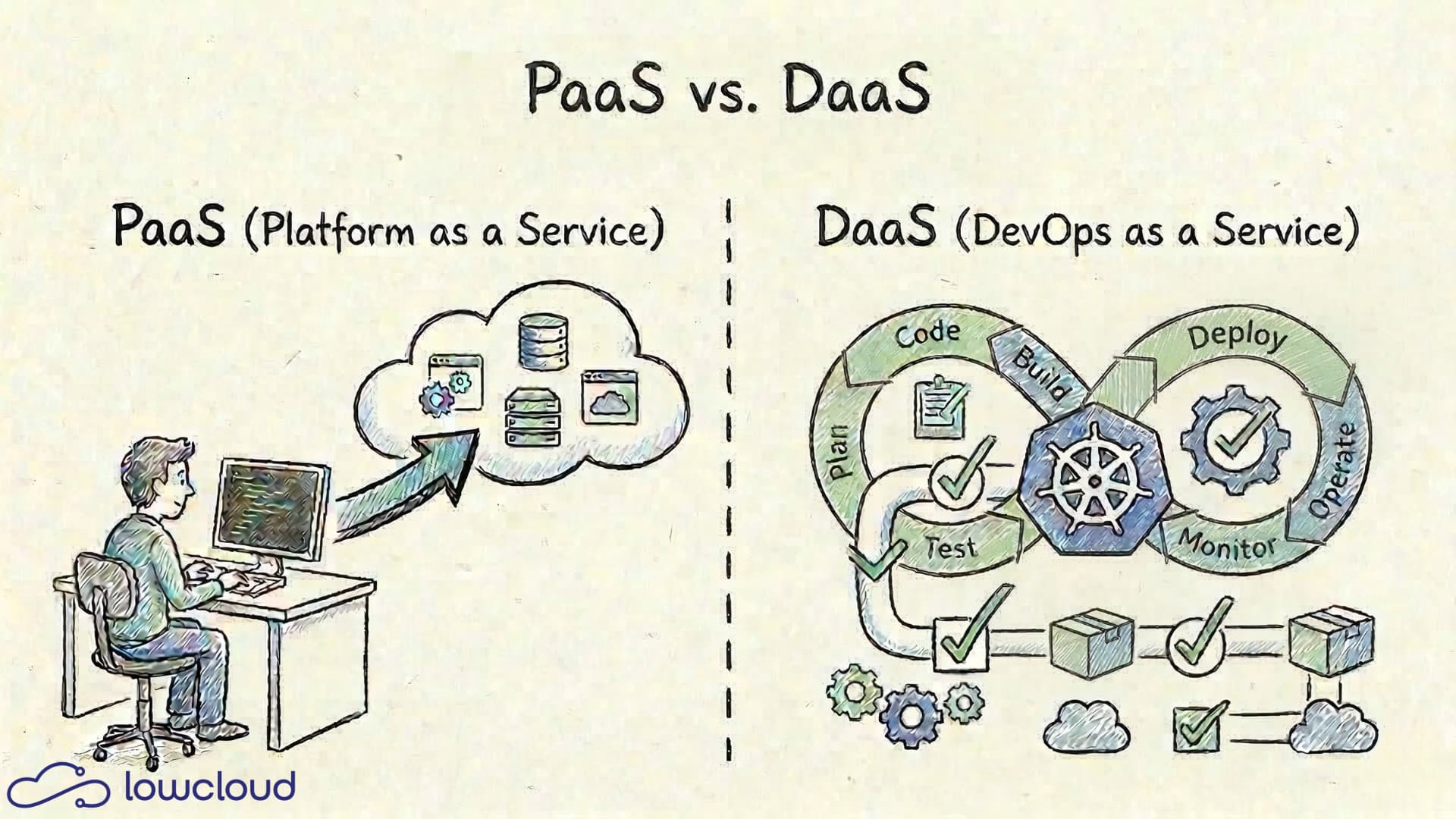
PaaS (Platform-as-a-Service) and DaaS (DevOps-as-a-Service) often come up in the same conversation but mean fundamentally different things. One takes infrastructure off your plate, the other handles DevOps processes. Knowing the difference leads to better architecture decisions and prevents wasting budget on services that solve the wrong problem.
What Is PaaS?
Platform as a Service means a provider gives you a complete runtime environment for your applications. You write code, you push code, and the platform takes care of the rest.
In practice, that means: no server provisioning, no operating system configuration, no managing runtime versions. The provider handles infrastructure, networking, storage, load balancing, and automatic scaling. You work at an abstraction level where deployment and operations are virtually invisible.
Typical PaaS Providers
The best-known representatives are Heroku, Vercel, and Azure App Service. Beyond these, there are countless others. They all follow the same basic principle: you define your application, everything else runs automatically.
The typical PaaS workflow looks like this:
- Push code to a repository
- The platform detects the framework, builds a container or runtime environment
- The app is deployed and immediately accessible
- Scaling happens rule-based or manually via a slider
This works well for standardized workloads. Node.js apps, Python services, containerized microservices — as long as you stay within the framework the provider prescribes, the developer experience is genuinely pleasant.
When PaaS Is the Right Choice
PaaS makes sense when your team is small, wants to iterate quickly, and doesn't have a dedicated ops role. For early-stage products, internal tools, or standardized web applications, PaaS is often the fastest and most cost-effective option.
The limits show when you have individual requirements: special network configurations, complex multi-service architectures, compliance requirements, or simply more control over your deployment environment. That's when the "opinionated" approach of most PaaS providers quickly hits its boundaries.
What Is DaaS?
DevOps as a Service operates on a different level. It's not about where your application runs, but how it's built, tested, and deployed. DaaS providers take over the automation of your development and operations processes.
In practice, this includes:
- CI/CD Pipelines: Automatic build, test, and deployment workflows
- Infrastructure as Code: Managing your infrastructure through versioned code (Terraform, Ansible, Helm)
- Monitoring and Alerting: Setting up and running observability stacks
- Container Orchestration: Setting up, operating, and updating Kubernetes clusters
- Server Updating & Patching: OS updates, security patches, maintenance windows, and rollouts without downtime (where possible)
- Security Scanning: Automatic inspection of images and dependencies
DaaS is therefore not a replacement for a deployment platform, but a wrapper around your existing processes. You bring the code, DaaS brings the pipeline.
What DaaS Actually Delivers
A DaaS provider typically sets up a GitLab or GitHub infrastructure with ready-made pipelines, connects it to a Kubernetes cluster, provides monitoring dashboards, and takes over the ongoing operation of these tools. As a team, you no longer have to build and maintain the pipeline yourself — you just use it.
That sounds appealing, but there's a catch: the dependency on the provider is real. If you don't understand what's happening in your pipeline, you're lost when troubleshooting.
DaaS Platform: When DevOps-as-a-Service Gets Productized
DaaS often doesn't just mean "a service provider who sets up Jenkins for you," but rather a DaaS platform: a standardized product that offers recurring DevOps tasks as self-service (or as a heavily guided process).
Typical building blocks of a DaaS platform:
- Golden Paths for build, test, release (predefined pipeline templates)
- Standardized Environments (dev/staging/prod), including policies and secrets handling
- Observability Out of the Box (logs, metrics, traces, alerts)
- Security & Compliance as default (scanning, SBOM, signatures, role models)
- Automated Platform Operations (updates, backups, drift detection, patch management)
Dependency (Lock-in): Often Lower with DaaS Than with PaaS
An important difference is what happens when you switch providers.
With a PaaS, the hosting model is often tightly coupled to proprietary building blocks (buildpacks, add-ons, routing/config models, platform APIs). When you leave, you don't just lose "convenience" — you often lose a large part of your app's operational capability and have to completely rebuild deployment, scaling, logging, secrets, etc.
With a DaaS platform, the dependency is often lower because it typically relies on tools and automation that you could operate yourself if needed:
- You can continue using the CI/CD pipelines, IaC repos, and deploy scripts.
- You can fall back to "manual" mode (more effort, but functionally possible) until you've found a new platform/partner.
- The transition is then more of an operational pain (time/know-how), not necessarily a complete architecture restart.
This doesn't mean DaaS is automatically lock-in-free (templates, policies, proprietary pipeline DSLs can still create binding), but you generally have a clearer exit path than with a strongly opinionated PaaS. This exit path is an important building block for companies with a digital sovereignty strategy.
Combining PaaS + DaaS: Platform for Apps, Platform for Delivery
In practice, you almost always need both:
- A PaaS layer that simplifies deployments, routing, scaling, and runtime standards.
- A DaaS layer that standardizes the delivery process (CI/CD, policies, security, observability).
When you combine PaaS and DaaS well, you get an end-to-end chain:
Git Push → Build/Test → Policy/Security Checks → Deploy → Observability/Alerting → Rollback/Scaling.
Kubernetes is often the connecting element: it can be the runtime foundation (for the PaaS) and simultaneously the target of your pipelines (for the DaaS).
When DaaS Makes Sense
DaaS is a good fit for teams that have strong development output but don't want to or can't employ their own DevOps specialists. Mid-sized companies that want to use Kubernetes without building a full Platform Engineering team are classic DaaS customers. A detailed comparison of building your own DevOps practice versus using it as a service can be found in our article DevOps vs. DevOps as a Service.
PaaS vs. DaaS — the Direct Comparison
The fundamental difference lies in the abstraction level:
| PaaS | DaaS | |
|---|---|---|
| What is provided? | Runtime environment for applications | DevOps processes and automation |
| Primary goal | Deploy applications quickly | Automate development and operations processes |
| Primary users | Developers | Developers, DevOps teams, engineering management |
| Provider responsibility | Infrastructure, runtime, scaling | CI/CD, IaC, monitoring, cluster operations |
| Team responsibility | Application code | Code + deployment configuration |
| Typical examples | Heroku, Google App Engine | Managed GitLab CI, CircleCI, AWS CodePipeline, lowcloud |
An important observation: the boundaries are increasingly blurring. Modern PaaS providers integrate CI/CD features, and some DaaS offerings include a hosting substrate. When evaluating an offering, it's worth asking precisely: where does the provider's responsibility end, and where does mine begin?
What If You Need Both?
The reality in many engineering teams looks like this: you don't want to manage raw infrastructure, nor do you want to lock yourself into a rigid PaaS model. You want a platform that hosts applications and brings the automation along with it.
This is exactly where Kubernetes-based DaaS platforms come into play. Kubernetes itself is neither PaaS nor DaaS. It's the foundation on which both can be built. A well-configured K8s platform gives you the deployment abstraction of a PaaS without taking away your DevOps control.
lowcloud is such a platform. It runs on Kubernetes with zero-configuration defaults, gives you ready-made deployment workflows, and simultaneously leaves you the freedom to design pipelines, configurations, and processes yourself. No lock-in to proprietary abstractions, no black box. You know what's running, and you can customize it.
That's the difference between a service you use and a platform you understand and control.
Conclusion
PaaS and DaaS are not alternatives to each other. They solve different problems. PaaS takes infrastructure management off your hands. DaaS takes the building and operation of DevOps processes off your hands. Both models have their place, and many teams benefit from elements of both.
If you take Kubernetes as your foundation and build a platform on top that combines both, you don't even have to make that choice anymore. lowcloud does exactly that — as a sovereign, Kubernetes-native platform that serves developers and DevOps teams equally.
Cloud Sovereignty Governance: Why This Topic Belongs in the Boardroom, Not the Server Room
If you are still delegating cloud sovereignty to your IT lead in 2026, you have not understood the regulatory risk. NIS2, DORA, and growing geopolitical uncertainties make a demonstrable sovereign cloud policy mandatory. The responsibility lies not in the server room, but in the boardroom.
Sovereign Cloud: Can SaaS Really Maintain Control Over Your Data?
SaaS services are indispensable in daily work, yet pressure is growing to prove control over data. This article shows how to assess how sovereign a SaaS provider really is.