What Is PaaS? Platform as a Service Explained

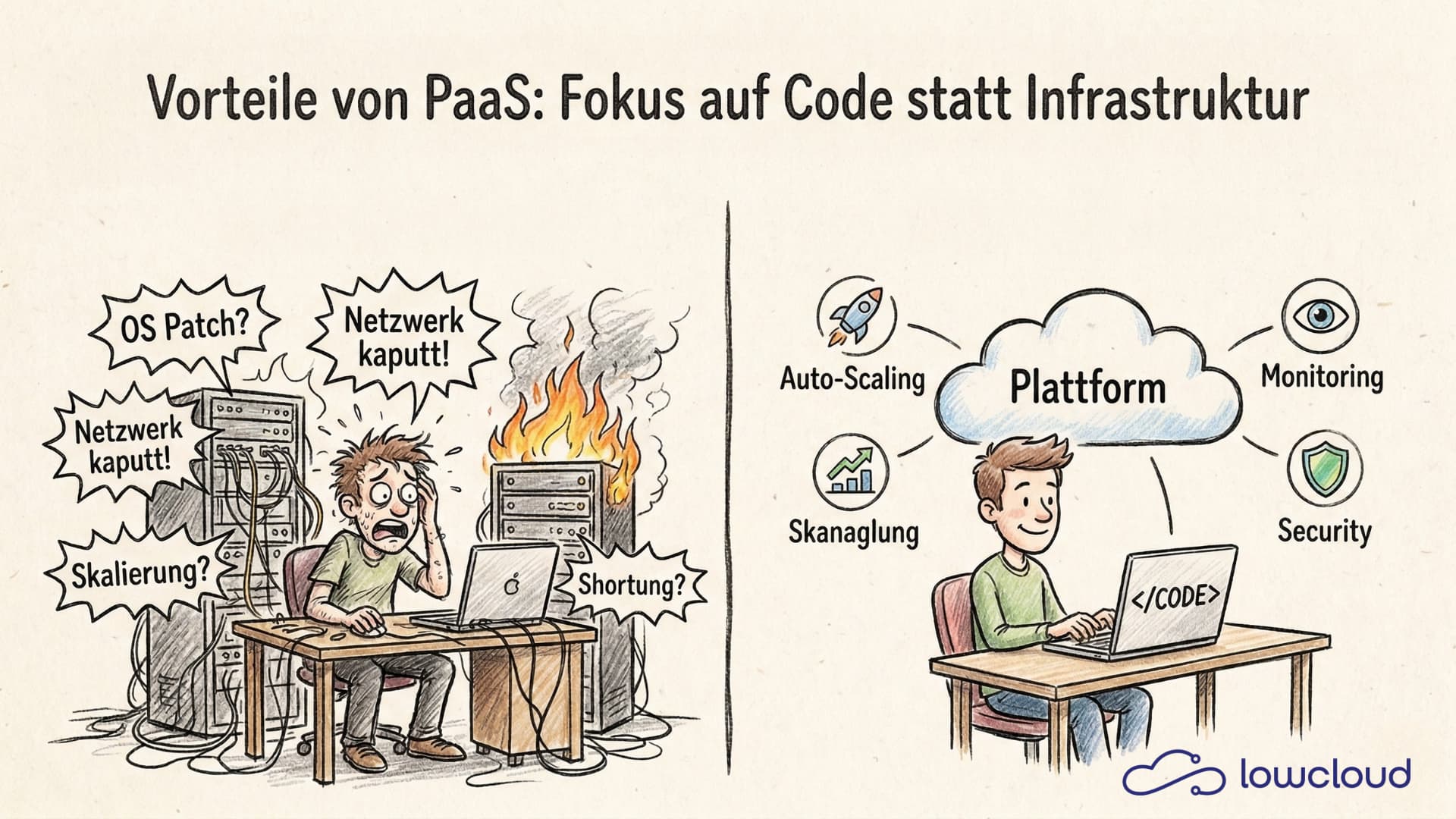
Modern applications require extensive infrastructure: servers, networks, databases, and monitoring. Platform as a Service (PaaS) abstracts this layer so development teams can focus on code. What matters is that a good platform relies on standards, self-service, and automation, enabling teams to avoid vendor lock-in while retaining governance and control. In this article, we explain how PaaS works, what benefits it offers, and why Kubernetes-based PaaS solutions are a fitting operational model for many teams.
Understanding PaaS in the Cloud Computing Model
To understand what PaaS is, it helps to look at the different cloud service models. Cloud computing is typically divided into four main categories: Infrastructure as a Service (IaaS), DevOps as a Service (DaaS), Platform as a Service (PaaS), and Software as a Service (SaaS). Each model offers different levels of abstraction and responsibility.
The Cloud Service Models at a Glance
Infrastructure as a Service (IaaS) provides the most fundamental cloud resources: virtual machines, storage, and networks. The customer is responsible for the operating system, middleware, runtime environments, and applications. Examples include Amazon EC2, Google Compute Engine, and Azure Virtual Machines.
DevOps as a Service (DaaS) builds on IaaS by adding production-ready DevOps capabilities and platform services such as CI/CD pipelines, automation, monitoring, logging, and security policies. Teams can deploy and operate faster without having to build and maintain the entire toolchain themselves. Examples include GitHub Actions, GitLab CI/CD, Azure DevOps (depending on the scope of managed services used), and lowcloud.
Platform as a Service (PaaS) goes a step further: not only infrastructure resources but also the complete runtime environment, middleware, databases, and development tools are provided. Developers can focus entirely on their application code while the platform handles deployment, scaling, and operations.
Software as a Service (SaaS) represents the highest level of abstraction: finished software is delivered as a service that users simply consume, such as Gmail, Salesforce, or Slack. The customer has no access to the underlying infrastructure or platform.
What Distinguishes PaaS, DaaS, and IaaS?
The key difference between IaaS, DaaS, and PaaS lies in the responsibility for operations and automation.
With IaaS, you need to handle operating system updates, patches, security configurations, network setup, and much more yourself.
DaaS builds on top of that, delivering additional production-ready DevOps building blocks like CI/CD, monitoring, logging, and policies, giving teams less toolchain overhead while still making some platform and runtime decisions themselves.
With PaaS, the provider takes over the underlying infrastructure and additionally provides a standardized application platform.
An example: if you want to run a web application on IaaS, you need to create virtual machines, install an operating system, configure a web server, set up databases, configure load balancers, and implement backup strategies. With DaaS, many of these operational and automation tasks are covered by platform services and preconfigured pipelines. With PaaS, you simply deploy your code, and the platform automatically handles the essential aspects of deployment and operations.
This abstraction means less overhead, faster deployments, and more time for actual product development. At the same time, modern PaaS solutions give developers sufficient flexibility and control over their applications.
Core Features of a Platform as a Service
A PaaS solution is characterized by several central features that cover the entire application lifecycle — from development through deployment to production operations.
Automated Deployment and Orchestration
One of the most important features of a PaaS is automated deployment. Instead of wrestling with complex deployment scripts, server configurations, and manual processes, developers push their code to a Git repository or use CI/CD pipelines, and the platform takes care of the rest.
Modern Kubernetes-based PaaS solutions use container technology and orchestration to deploy applications reliably and reproducibly. The platform manages container images, creates deployments, configures services, and ensures the application runs with the right resources.
The deployment process can be fully automated: with every commit to the main branch, a new version is automatically built, tested, and deployed to the production environment — without manual intervention. This is continuous deployment in its most efficient form.
Scaling and Resource Management
A PaaS automatically handles the scaling of your applications. When load increases — for example, due to a sudden traffic spike — the platform automatically starts additional instances of your application. When load decreases, surplus instances are shut down.
This auto-scaling functionality is based on metrics like CPU utilization, memory consumption, or custom metrics (e.g., request rate). Kubernetes PaaS solutions use the Horizontal Pod Autoscaler (HPA) or the Vertical Pod Autoscaler (VPA) to optimally distribute resources.
Additionally, PaaS platforms provide load balancing to distribute incoming requests evenly across all available instances. This ensures high availability and optimal performance.
Another advantage: resource efficiency. Instead of provisioning oversized servers to handle peak loads, you only pay for the resources actually used. The PaaS ensures your application always gets exactly the resources it currently needs.
Monitoring, Logging, and Observability
Without visibility into the state of your applications, you can neither detect nor fix problems. That's why monitoring and logging are fundamental features of every PaaS.
A good PaaS solution automatically collects metrics like CPU usage, memory consumption, request latency, and error rates, displaying them in dashboards. Logs from all containers are centrally collected and made searchable. When critical events occur — such as an application crash or rising error rates — alerts can be triggered automatically.
Kubernetes-based PaaS platforms frequently integrate tools like Prometheus for metrics, Grafana for visualization, and Loki or Elasticsearch for log management. These tools are available out-of-the-box and preconfigured, so developers can be productive immediately.
The concept of observability goes a step further: it's not just about collecting metrics but understanding the behavior of complex distributed systems. Distributed tracing, for example, helps trace requests through microservice architectures and identify bottlenecks.
Benefits of PaaS for Development Teams
Using a Platform as a Service brings numerous concrete benefits for development and DevOps teams. These range from increased productivity to cost efficiency to better scalability.
More Focus on Business Logic Instead of Infrastructure
The greatest benefit of PaaS is that developers can focus on what truly matters: the application itself. Instead of spending time on server administration, network configuration, database tuning, and patch management, teams can channel all their energy into features and product improvements.
This shift in focus leads to several positive effects:
- Higher productivity: Teams deliver more features in less time
- Fewer error sources: Infrastructure errors from manual configuration are avoided
- Better developer experience: Developers work with modern, developer-friendly tools instead of low-level infrastructure
This advantage is enormous especially for smaller teams or startups that don't have dedicated DevOps or platform engineering teams. But larger organizations also benefit from their developers working more efficiently.
Faster Time-to-Market
In modern digital markets, speed is a decisive competitive advantage. Those who can ship new features faster win. PaaS enables exactly that.
Through preconfigured environments, automated deployments, and integrated CI/CD pipelines, the time from idea to production feature is dramatically shortened. What used to take days or weeks — setting up a new environment, configuring, and deploying — happens with PaaS in minutes.
Development cycles become shorter because:
- New development environments can be created in seconds
- Deployments run fully automatically
- Testing environments are available on-demand
- Rollbacks are immediately possible when problems arise
This means: more experiments, faster feedback, and ultimately better products.
Cost Efficiency Through Pay-per-Use
Traditionally, companies had to invest in hardware or rent long-term server capacity — often oversized to handle peak loads. PaaS solutions instead operate on a pay-per-use basis: you only pay for the resources you actually use.
This cost efficiency results from several factors:
- No overcapacity: Auto-scaling ensures the right amount of resources is always available
- No infrastructure investments: Neither hardware nor datacenter costs
- Efficient resource utilization: Containers and Kubernetes enable significantly higher server utilization than traditional VMs
- Less personnel overhead: Teams don't need to employ infrastructure experts
Additionally, costs are transparent and predictable. Good PaaS platforms offer detailed cost reports showing which applications consume how many resources.
Disadvantages of PaaS: Vendor Lock-in and Migration
A central disadvantage of many PaaS offerings is vendor lock-in. The more heavily a platform relies on proprietary buildpacks, runtimes, managed services, and specific APIs, the more tightly the application is bound to that particular environment.
This can become problematic when switching:
- Porting and rebuilding: When exiting, deployments, configurations, observability, security policies, and often database setups must be rebuilt in a new environment.
- Unexpected costs and downtime risks: Migrations are time-intensive and increase the risk of operational disruptions.
- Dependency on product decisions: Changes to pricing, feature sets, or the platform roadmap directly impact operations.
In comparison, DaaS platforms are generally less "all-in-one" than traditional PaaS: they deliver DevOps building blocks like CI/CD, monitoring, and policies without binding the application as tightly to a specific runtime platform. This makes switching easier because the application stays closer to standard deployments and portable artifacts.
Kubernetes as the Foundation of Modern PaaS Solutions
In recent years, Kubernetes has established itself as the standard for container orchestration and increasingly forms the technological foundation of modern PaaS solutions. But what makes Kubernetes an ideal foundation for Platform as a Service?
From Container Orchestration to Full-Featured PaaS
Kubernetes itself is initially "just" a container orchestration system. It manages containers, handles scaling, network communication, and self-healing. For developers, however, vanilla Kubernetes is complex: you need to write YAML manifests and deal with deployments, services, ingress, ConfigMaps, and many other concepts.
A Kubernetes PaaS abstracts this complexity and offers developers a simple, intuitive interface. Instead of writing YAML files, developers deploy with simple commands or via git push. The PaaS translates these high-level actions into the corresponding Kubernetes resources. Teams planning their Kubernetes migration should account for this transition early to avoid common operational pitfalls.
At the same time, the advantages of Kubernetes are preserved:
- Declarative configuration: Infrastructure as Code
- Self-healing: Crashed pods are automatically restarted
- Service discovery: Automatic network configuration between services
- Rolling updates: Zero-downtime deployments
Modern Kubernetes PaaS platforms augment Kubernetes with additional developer tools: integrated CI/CD pipelines, database services, message queues, object storage, and more — all available as a service.
Cloud-Native and Portable
A decisive advantage of Kubernetes-based PaaS solutions is their portability. Since Kubernetes has become a de facto standard, Kubernetes workloads run on virtually any infrastructure: on AWS, Google Cloud, Azure, but also on-premise or with specialized providers.
This means no dependency on a single hyperscaler. You're not bound to the proprietary services of a cloud provider but can move your workloads between different environments as needed.
For European companies, this is particularly relevant: instead of being forced to use US hyperscalers, they can choose European Kubernetes PaaS providers that ensure digital sovereignty and GDPR compliance. A further evolution of this model is Bring Your Own Cloud, where the PaaS vendor deploys into your own cloud account rather than shared infrastructure, giving regulated customers full data plane ownership without sacrificing managed operations.
Cloud-native development also means applications are designed for cloud environments from the start. They use microservice architectures, are stateless, scale horizontally, and are resilient against failures. Kubernetes PaaS platforms natively support these patterns.
PaaS vs. Traditional Hosting and Other Approaches
To make the right decision for your infrastructure, it's important to understand the differences between PaaS and other deployment models.
PaaS vs. VM-Based Hosting
Traditional VM-based hosting means you rent virtual machines, install operating systems, and handle all administrative tasks yourself. This offers maximum control but also requires maximum effort.
In contrast, a PaaS handles all these administrative tasks. The platform manages operating systems, patches, security updates, and network configurations. You simply deploy your code.
Flexibility vs. convenience: VMs offer more low-level control, for example when you need special kernel modules or exotic network configurations. For the vast majority of use cases, however, this control is unnecessary — and the convenience of a PaaS clearly outweighs it.
Resource efficiency: Containers, as used in modern PaaS solutions, are significantly more resource-efficient than VMs. While a VM carries a complete operating system, containers share the host system's kernel. This means higher density, faster startup times, and lower costs.
PaaS vs. Serverless (FaaS)
Serverless or Function as a Service (FaaS) — such as AWS Lambda or Google Cloud Functions — represents yet another abstraction level. Here you don't deploy entire applications but individual functions that are executed in an event-driven manner.
Serverless excels for:
- Event-based workloads (e.g., image processing after upload)
- APIs with sporadic traffic
- Batch jobs and background tasks
PaaS is better suited for:
- Long-running applications (e.g., web servers)
- Complex microservice architectures
- Applications with state or persistent connections
- Workloads with predictable, continuous traffic
Another difference: vendor lock-in. Serverless offerings are usually tightly bound to a provider and use proprietary APIs. Kubernetes-based PaaS solutions, by contrast, are portable.
PaaS vs. Self-Managed Kubernetes
Many teams consider whether to operate Kubernetes themselves or use a PaaS solution. The answer depends on several factors:
Self-managed Kubernetes offers:
- Maximum control over all configurations
- Ability to customize every aspect
- No dependency on a PaaS provider
However, operating Kubernetes is complex. You need expertise for:
- Cluster setup and maintenance
- Networking (CNI plugins, ingress controllers)
- Storage (CSI drivers, backup strategies)
- Security (RBAC, network policies, pod security)
- Monitoring and logging
- Upgrades and patches
A Kubernetes PaaS takes all these tasks off your hands. You get a fully configured, secure, and maintained Kubernetes environment. This pays off especially when:
- You don't have dedicated platform engineering teams
- You want to focus on product development rather than infrastructure
- You want to be productive quickly
- You want to reduce operational costs
The trade-off is slightly less control (although good PaaS solutions still allow access to Kubernetes resources) versus significantly less overhead.
PaaS vs. DaaS
PaaS and DaaS (DevOps as a Service) are often conflated in practice but pursue different goals. While PaaS provides an application platform, DaaS primarily delivers DevOps capabilities on a platform. DaaS platforms are significantly more flexible than PaaS and prevent lock-in when switching.
What Both Have in Common
- Both reduce operational overhead through automation.
- Both standardize the path from code to deployment, including roles, policies, and self-service.
- Both can build on Kubernetes and container technology.
Where They Differ
- Abstraction level: PaaS abstracts runtime and operations more strongly (e.g., deployments, scaling, routing, logs, metrics "out of the box"). DaaS abstracts tooling and processes (CI/CD, observability, security checks, templates) but leaves more freedom in choosing the target platform.
- Flexibility: DaaS is often more modular. Teams can use individual building blocks and choose their target environment (Kubernetes, VMs, managed services, cloud providers) themselves.
- Lock-in risk: Traditional PaaS can bind more tightly when proprietary buildpacks, APIs, or managed services are central. DaaS can reduce lock-in when it relies on portable artifacts (container images, Helm, GitOps) and standards.
- Ownership: With PaaS, the provider takes on more responsibility for platform and runtime operations. With DaaS, more responsibility stays with the teams or the underlying infrastructure platform.
When Does Each Make Sense?
- PaaS, when teams need to be productive quickly and a consistent developer experience is more important than maximum platform freedom and sovereignty.
- DaaS, when teams already have or want to keep a target platform but want to reduce DevOps overhead and standardize governance.
Use Cases: When Does PaaS Make Sense?
Platform as a Service isn't the optimal solution for every use case, but it is for many. Here are some typical scenarios where PaaS is particularly well suited:
Web applications and APIs: The classic PaaS scenario. Frontends can be easily deployed, scaled, and operated.
Continuous delivery and rapid iterations: Teams that want to deploy frequently — multiple times a day or even per commit — benefit enormously from automated PaaS deployments.
Startups and fast-growing teams: When you want to focus on your product rather than infrastructure, PaaS is the right choice.
Internal tools and developer platforms: PaaS also makes sense for internal applications — dashboards, admin tools, internal APIs — to save development time.
Modernizing legacy applications: When you want to containerize existing applications and migrate them to modern cloud environments, PaaS offers a low-barrier entry point.
Finding the Right PaaS Solution
Choosing the right PaaS platform depends on your specific requirements. Important criteria include:
Technology stack: Does the PaaS support your preferred programming languages, frameworks, and tools?
Scalability and performance: Does the platform offer sufficient capacity and performance for your workloads?
Cost and pricing model: Is the pricing transparent and does it fit your budget?
Compliance and data protection: Are your regulatory requirements met, particularly GDPR?
Sovereignty: Do your data stay in Europe, or are you using US hyperscalers?
Support and community: Is there good technical support and an active community?
Integration and ecosystem: Can the PaaS integrate into your existing tools and workflows?
If you're looking for a Kubernetes-based DaaS solution that combines European digital sovereignty, GDPR compliance, and cutting-edge container technology, lowcloud delivers exactly that. The platform is built on Kubernetes and enables you to deploy applications quickly and securely — without vendor lock-in and with full control over your data. All infrastructure is located in German and European data centers.
With lowcloud, you get a full-featured Platform as a Service that takes the overhead of infrastructure management off your hands, allowing you to focus on what truly matters: your application. From automated deployments to integrated monitoring to flexible scaling options — lowcloud offers all the features modern development teams need.
Conclusion: Platform as a Service (PaaS) is the ideal solution for teams that want to focus on product development rather than infrastructure. Kubernetes-based PaaS solutions combine the flexibility of cloud-native technologies with the simplicity of a fully managed platform. For European companies, sovereign PaaS providers additionally offer the assurance that their data remains under European jurisdiction and is processed in a GDPR-compliant manner.
Knowledge Documentation in DevOps Teams: How to Actually Reduce Your Bus Factor
Why documentation fails in small DevOps teams and how IaC, runbooks, and DaaS platforms actually lower the bus factor.
EU AI Act Hosting: What Changes for AI Workload Operators
The EU AI Act introduces new obligations for AI system operators. What hosting customers need to know about risk classification, logging, and sovereign infrastructure.