lowcloud vs. Coolify: Self-hosted PaaS or managed?

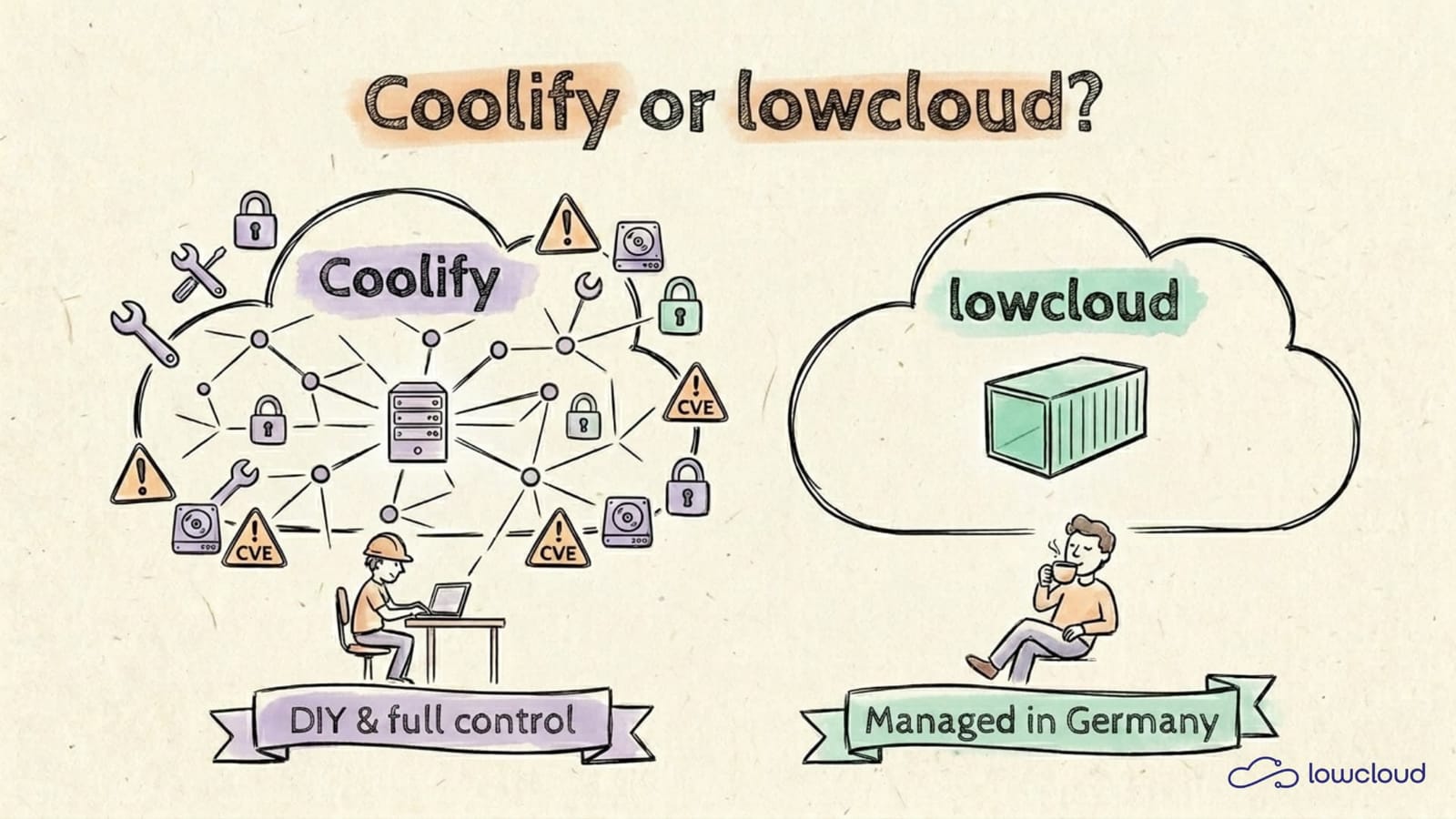
lowcloud vs. Coolify: Which path actually makes sense?
Vercel bills spike with every traffic peak, Heroku has been in sustaining mode since February 2026 with no new features in sight. A lot of teams are looking around for alternatives, and sooner or later they stumble across Coolify. The open-source platform has more than 55,000 GitHub stars in May 2026 and, according to its maintainers, over 325,000 users (Coolify GitHub, 2026).
Coolify and lowcloud solve a similar problem in very different ways. Coolify gives you maximum control and mainly costs your own time. lowcloud takes the entire operational side off your plate and charges per container. This comparison shows which model fits which team, and where the real trade-offs are.
Key takeaways
- Coolify is Apache-2.0 licensed, free to self-host forever, and ships with 280+ one-click templates for common services.
- According to WZ-IT's cost analysis, self-hosted Coolify saves up to 85 percent in cloud bills compared to Vercel, but consumes your own DevOps time for updates, CVE patches and backups.
- lowcloud containers start at 3 euro/month (tier S, 0.5 vCPU / 1 GB RAM), billed hourly and fully managed in Germany.
- Compliance and German DPA contracts are your job with self-hosted Coolify; with lowcloud they come bundled with the service.
The four criteria that actually decide
When choosing between Coolify and lowcloud, four things really decide the outcome: operating model, compliance obligations, total cost and the skills already in your team. Everything else is detail. If you pick the wrong operating model, you end up loading work onto a part of the team that has no capacity for it.
Coolify is a self-hosted PaaS that you run on your own VPS or bare-metal servers. Coolify Cloud is the managed version from the maintainers, but it runs outside of Germany. lowcloud is a fully managed container platform with servers in Germany and German contracts. These three options can be evaluated against the same set of criteria.
Comparison table
The table below puts the three realistic options side by side. Pricing figures assume a typical workload with two to three small containers.
| Criterion | Coolify (self-hosted) | Coolify Cloud | lowcloud |
|---|---|---|---|
| Operating model | DIY on your own VPS | Managed by Coollabs | Managed in Germany |
| License | Open source, Apache 2.0 | Proprietary hosting | Proprietary, managed |
| Pricing start | ~30 to 90 EUR/month (server) | From 5 USD/server/month | From 3 EUR/month per container (tier S) |
| GDPR/DPA responsibility | Yours | Coollabs (Hungary) | lowcloud (Germany) |
| Updates and CVE patches | Your team | Coollabs | lowcloud |
| German-language support | No | No | Yes |
| 280+ one-click templates | Yes | Yes | No, code-first |
| Time-to-first-deploy | 30 to 90 minutes setup, then deploys in minutes | A few minutes | Under 5 minutes |
| Idle consumption | 5-6 percent CPU, 500-700 MB RAM | No own footprint | No own footprint |
The most interesting number sits in the pricing row: a Coolify self-host setup on Hetzner runs at around 90 USD per month for a comparable workload, while the equivalent Vercel setup lands at roughly 601 USD (WZ-IT, Coolify v4 review, 2026). That 85 percent saving is real, but it ignores the operational time you put into running the platform.
When Coolify is the right call
Coolify pays off when you already have Linux and Docker skills in the team, when you manage a VPS fleet anyway, and when you want to handle compliance topics yourself. For side projects, internal tooling and experienced indie developers, Coolify is often the soberly better choice over any managed service.
Typical Coolify scenarios from our migration work:
- Side projects and indie devs, where the hourly cost of your own time doesn't show up in the budget.
- Internal tooling with low compliance requirements and low traffic.
- Very high utilization workloads, where a dedicated VPS fleet is cheaper per vCPU than any managed PaaS.
- Learning and experimenting, because Coolify teaches you a lot about Docker, reverse proxies and container lifecycles.
Coolify v4 picked up native GitLab integration and preview deployments for pull requests in its March 2026 release (Temps, Coolify Review 2026, 2026). The platform has matured from a hobby project to a serious PaaS. Anyone running it in production should take the security side seriously, though: over the last 18 months Coolify has had several critical CVEs (Northflank, Coolify alternatives 2026, 2026). You need a clear patch regime.
When lowcloud is the right call
lowcloud fits when your team wants to ship code instead of running infrastructure, and when compliance plus DPA contracts should come from the vendor. For B2B products with GDPR obligations, a managed PaaS from Germany is, soberly speaking, the substantially less risky option.
Typical lowcloud scenarios:
- B2B SaaS with business customers who ask for DPAs and records of processing activities.
- Teams without a dedicated DevOps engineer that don't want to burn engineering capacity on server maintenance.
- Mid-sized companies with a clear requirement for German contracts and German-language support.
- Products with high availability requirements, where a weekend CVE incident is not an option.
The difference between Coolify and lowcloud isn't primarily technical, it's operational. Both platforms deploy containers, both support GitOps and automated certificates. The difference sits in the responsibility model: with lowcloud, updates, backups, monitoring and compliance documentation come from one provider. With Coolify, all of that is your team's job. A more fundamental comparison of PaaS and DaaS helps if you want to step back even further.
What we actually see in migrations
We regularly migrate teams from Vercel, Heroku and Coolify setups to lowcloud. The Vercel migrations usually arrive after a surprising bill. The Coolify migrations typically follow one of three triggers.
First, a CVE incident where a patch wasn't applied fast enough and the platform was compromised. Second, a compliance audit where a customer suddenly wanted a DPA, a record of processing activities and SOC2 evidence, and nobody on the team could cover the Coolify setup legally. Third, the departure of the one person who ran the Coolify cluster. Suddenly nobody knew where the backups were or how the restore procedure worked.
What we have learned from these migrations: self-hosted PaaS is never really free. The cost just shows up in a different line of the balance sheet. The 85 percent cloud saving disappears the moment you price in your DevOps hours honestly. For teams with DevOps skill and time, that's a good deal. For teams without it, it's a hidden cost that eventually becomes visible.
Frequently asked questions
Can I migrate from Coolify to lowcloud?
Yes. If your app already runs in a container, the migration is usually a matter of a few days. We offer migration from existing Coolify setups for free and handle configuration, data migration and DNS cutover without downtime.
Is Coolify GDPR-compliant?
Coolify itself is just software. GDPR compliance comes from how it's operated: where the server runs, who has access, where backups are stored, whether you have a DPA in place. When you self-host, all of that is your responsibility. With lowcloud, the whole package comes from Germany with a German DPA.
What does self-hosted Coolify actually cost?
Pure server cost runs at 30 to 90 EUR per month for a small to medium Hetzner VPS. On top of that come the operational hours for updates, monitoring, backup verification and CVE response. If you price that with realistic hourly rates, the true total quickly lands at 200 to 500 EUR per month. For small teams it's still often cheaper than Vercel, but nowhere near as dramatic as the marketing numbers suggest.
When does Coolify Cloud make sense compared to lowcloud?
Coolify Cloud takes the self-hosting work off your shoulders, but it runs outside of Germany and offers no German-language support. If you like the Coolify templates and UI but want to offload operations, Coolify Cloud is a valid choice. As soon as German contracts, DPAs and German support become relevant, lowcloud is the better fit.
Coolify or Dokploy or CapRover?
If you're committed to the self-host route, Coolify has the richest feature set, Dokploy is Swarm-native and more resource-efficient (0.8 percent CPU idle, 350 MB RAM versus Coolify's 500-700 MB), and CapRover is the oldest and leanest of the three (MassiveGRID, Dokploy vs Coolify vs CapRover 2026, 2026). The decision depends less on the software itself and more on your server setup and maintenance budget. If you're torn between the first two, we have Coolify and Dokploy compared directly.
Conclusion
Coolify is a serious self-hosted PaaS and one of the best options on the market for DIY developers. With Linux skills, time and no compliance problem to worry about, you can go a long way with it. As soon as compliance, German-language support or predictable total cost enter the picture, the equation shifts noticeably toward managed platforms. lowcloud is built exactly for that case: containers in Germany, German contracts, German support, without you needing to stand up a platform engineering function of your own.
If you're not sure which path is right for you: book a short demo and we'll walk through your setup together.
Build and Deploy a Website Using Claude Code (From Zero to Live)
A practical, step-by-step guide to building a website with Claude Code, pushing it to GitHub, and deploying it on sovereign German infrastructure with lowcloud and Hetzner.
lowcloud vs. Dokploy: Multi-node self-host or managed?
Dokploy is the Docker-Swarm-native self-hosted PaaS with over 30,000 GitHub stars. When does your own cluster pay off, and when does a managed platform like lowcloud?