

Vibe Coding Tools: Ship Faster Without the Chaos

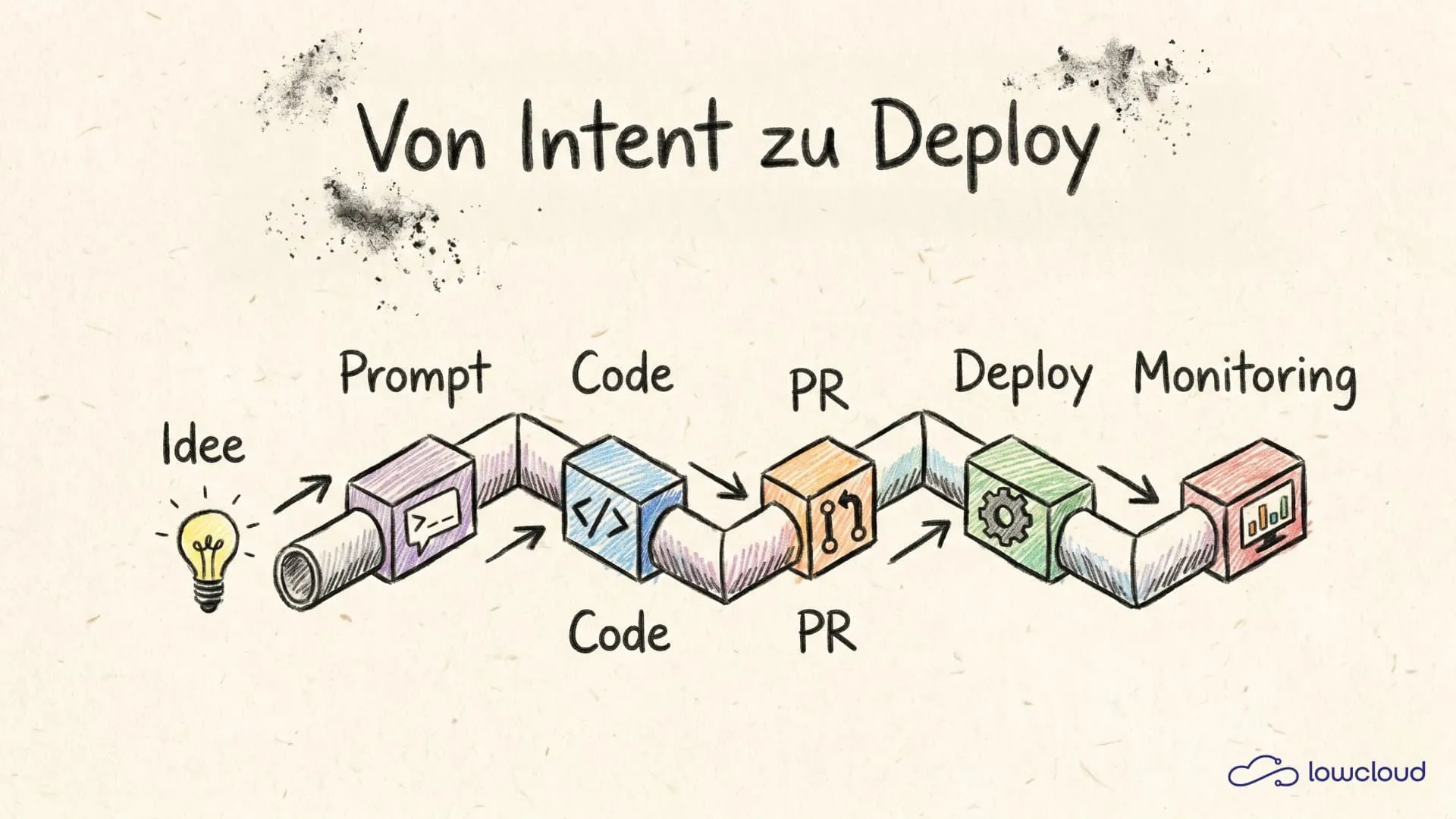
Vibe coding is the point where many teams flip from "AI is a nice autocomplete" to "AI is a real part of the delivery system." The promise is simple: less friction between idea, code, review and deploy. In practice, though, it isn't the model that decides whether you actually ship faster or just produce broken code faster – it's your tool stack and your workflow.
This overview looks at vibe coding tools from a developer and DevOps perspective: which categories exist, what they're actually good at, which criteria matter when choosing, and how to set up a process that doesn't sacrifice quality and security.
What is vibe coding (and what isn't)?
"Vibe coding" isn't a cleanly defined term, it's more of a behavior: you work in a more intent-driven way. Instead of writing every line manually, you steer the implementation via requirements, examples, constraints and reviews. The AI becomes a pair, sometimes a junior, rarely a senior. The difference from classic pair programming: the AI is incredibly fast, but it has no real understanding of your product, your risks and your operations.
The distinction matters:
What's not meant is "prompt in, code in unchecked, done." It's more about a controlled flow: you write a short spec, have a suggestion generated, validate it, build tests and CI as a safety net, do a review, and ship in small, traceable PRs. If you want to use vibe coding seriously in a team, you have to treat it like any other productivity tool: standards, gates, measurement.
Categories of vibe coding tools
Most tools fit into a few broad categories. That helps you structure the stack cleanly instead of buying ten half-overlapping tools.
1) IDE copilots (autocomplete + inline chat)
These are tools that suggest code directly in your IDE (VS Code, JetBrains), complete functions, generate boilerplate and often offer a chat in the context of the project. Their strength is flow: little context switching, fast support for boilerplate, pattern implementations and refactors – and in many cases solid help writing tests or small utilities. The limits lie mainly in context: the window is bounded, large codebases quickly become "approximate," and team standards get ignored unless you specify them explicitly. In the worst case you slide into "autocomplete dictation" instead of deliberate design.
2) Chat assistants (Q&A, architecture, debugging)
Chat tools are great when you want to clarify concepts ("why is my TLS handshake breaking?"), when you want to have logs explained, or when you want to talk through an architecture decision. The advantage is the dialogue: good explanations, a debugging partner, sparring on options and trade-offs – and often very helpful for writing migration plans, runbooks or postmortems. At the same time, answers without repository context quickly become generic, and with tooling details there's a risk of hallucinations ("that flag doesn't exist"). So: use them as a thinking and research partner, but verify the facts.
3) Coding agents (task-based, PR-oriented)
Agents are the next step: you don't say "write function X," you say "build feature Y," and the agent works through tasks, creates commits, opens pull requests, adjusts tests and iterates. The leverage is large – especially for repetitive tasks like migrations, boilerplate or "rename across repo," and the result is ideally PR-oriented and therefore reviewable. But that's exactly where the danger lies too: without clear guardrails the agent does "a lot," but not necessarily "the right thing." If it iterates frequently, CI can get genuinely expensive, and you need governance: who's allowed to run agents, on which repos and with which permissions?
4) Review, refactor and quality tools
This is about "AI reads code, finds risks, suggests improvements" – as a PR reviewer, as a complement to static analysis, or as a diff assistant. Used correctly, it's a good complement to linting/static analysis (not a replacement): it finds inconsistencies, missing tests or questionable error handling and helps explain diffs ("what changes semantically?"). The quality, however, depends heavily on the signal you provide (diff, tests, conventions), and false positives can create review noise. So the hints should be treated as "suggestions," not as truth.
5) Test generation and debugging
These are specialized workflows: deriving tests from a function/endpoint, collecting edge cases, generating mocks, interpreting logs and building repro scenarios. The leverage is huge, because tests are often the bottleneck – and because good tests provide the safety net before you refactor. At the same time, tests without domain knowledge quickly become "happy path" only, and flaky tests are the fastest way to lose the benefit again. That's why it's especially worth it here: have them generated, but review and stabilize consistently.
Overview: relevant vibe coding tools (with classification)
The tool landscape changes fast and new tools keep arriving (or existing tools get new agent and repo features). Instead of claiming a "best tool" list, it's more useful to know the major representatives per category and understand how they feel in the workflow. For a direct head-to-head, see Claude Code, Copilot and Cursor compared.
GitHub Copilot (IDE copilot)
GitHub Copilot is the entry point for many teams: solid autocomplete, usable chat in the IDE, broad language support. It works best for boilerplate, routine code and small refactors. What matters here is the policy question (what's allowed in prompts?), telemetry and how good the repo context really is. As a practical rule: don't expect Copilot to make architecture decisions – use it as an accelerator, not a compass.
JetBrains AI (IDE copilot in the JetBrains ecosystem)
If your team lives in IntelliJ/GoLand/PyCharm, deep IDE integration like JetBrains AI is often worth more than "the best model." The value lies mainly in project navigation, refactor support and the interplay of IDE features + AI. Watch out for availability in your license, model options and privacy.
Cursor / Windsurf & "AI-first IDEs"
These tools (Cursor, Windsurf) are built so that you use agents and repository chat in the editor as the primary workflow – often with indexing of the codebase and features like "edit this file across the project." They're especially good for fast prototyping and larger multi-file edits ("make it consistent"). At the same time you should strictly check diff quality and reviewability, because "the agent does too much" quickly leads to unreviewable changes. Best practice remains: work diff-oriented and have changes output as a patch/PR, not as "trust me."
Claude Code (agent in the terminal / repo workflow)
Claude Code is less "chat on the side" and more a task-oriented agent that works directly in the repo (often via terminal commands, tests, build, lint, etc.) and proceeds iteratively over diffs/commits. Its strength lies in workflows like "implement X including tests," "refactor Y across multiple files," "fix CI errors" or "rename/update across repo" – exactly where you need multiple steps and context while the result still needs to stay reviewable.
Here it's even more important than with IDE copilots: permissions & limits (which commands/tools may the agent run?), clear constraints (e.g. "no new dependencies," "no migrations without a rollback plan") and a consistently PR-/diff-oriented output, so the benefit doesn't tip into "the agent produces a lot, the review gets expensive."
ChatGPT / Gemini (chat assistants)
As general chat assistants, ChatGPT and Gemini are strong at thinking, structuring and explaining. With repo context (e.g. via copy/paste, files or dedicated integrations) they become practical for architecture sparring, debugging, migration plans and runbooks. A few hygiene rules matter here: no secrets in prompts, scrub logs, and keep the context precise. A prompting tip that really helps in practice: always state "constraints" (language/framework versions, code style, error-handling policy).
Sourcegraph Cody / code search + AI
If you have large repos, code search is often the hidden multiplier. AI without findability is blind. Tools like Sourcegraph Cody that bring search and context together deliver better answers, because they actually find the relevant places – for example with questions like "where is X used?" or "what breaks if I change Y?". Here, pay attention above all to indexing quality, cost and on-prem options.
PR reviewers / AI code review (various providers)
Many teams use AI as a "first review layer": for summaries, hints about potential bugs, security topics or missing tests. This speeds up reviews and helps with standard checks and documentation hints. But it must not be a replacement for human responsibility; a good workflow is to treat AI comments as "suggestions," while approvals and ownership stay human.
Decision criteria: how to choose vibe coding tools
Tool selection rarely fails on "can it write code?" Almost every tool can. It fails on context, governance and integration.
Context window & codebase understanding
Don't ask "how big is the context window?" but: how does the tool get the relevant context? What's decisive is whether it has indexing and can pull code in a targeted way, whether it navigates symbolically (definitions, references) and whether it can work sensibly in a monorepo structure. The bigger the repo, the more important search/indexing becomes – without it you get nice-looking answers but riskily wrong changes.
Diff orientation and reviewability
A tool is productive when it outputs changes so you can review them cleanly: clear diffs instead of complete file rewrites, small focused commits and an explanation of why a change was made (not just what). If a tool likes to rewrite entire files, merge conflicts and review costs rise massively – then the review eats up the productivity gain right away.
Model choice and latency
In practice it's not just quality that counts, but also latency. A tool that needs 5 seconds per suggestion feels exhausting in the coding flow. For inline coding, latency is therefore critical; for agents/PRs, quality matters more than speed, though CI costs can rise when the agent iterates frequently.
Privacy, compliance and data flows
Especially in the German/European context, this isn't a "legal checkbox" topic but an operational one. You have to understand which data leaves your device or network, whether there are enterprise controls (opt-out of training, logging, audit), whether on-prem/self-hosted options exist (e.g. for code search or local models) and whether you can enforce policies technically (e.g. "no secrets in prompts").
Cost and scaling across the team
Many tools look cheap per seat but get expensive in daily use. Agents that run CI multiple times cause real infrastructure costs, and more output doesn't automatically mean less work, because review and QA remain. A good approach is therefore a pilot with clear metrics (lead time, review time, bug rate) instead of "gut feeling."
Best practices: vibe coding without chaos
1) "Spec-first" instead of "prompt-first"
If you want AI to work consistently, you need a mini spec – for example as a ticket template with goal/outcome, non-goals, API/contracts, error handling, observability (logs/metrics/tracing), security/compliance notes plus acceptance criteria and test cases. With that, an agent or copilot can deliver much better. Without a spec, you often just get "something" in the end.
2) Small pull requests (PRs), clear ownership
Vibe coding quickly produces a lot of diff. That's good, until it becomes unreviewable. Keep PRs small (one clearly defined change per PR), ensure clear ownership (code owners stay responsible) and treat AI as a source for suggestions, not for approvals.
3) Tests as a seatbelt, not an afterthought
If you take away only one thing: have tests generated, but review them. For backend that usually means unit tests plus integration tests for critical endpoints; for frontend, component tests and E2E only for core flows; for infra, policy tests (e.g. OPA/Rego), plan checks and drift detection.
4) Prompting for developers: a few rules that really help
Forget "prompt engineering" as a buzzword. Useful patterns are simple: give clear context ("here's file A, here's file B, the goal is …"), state constraints (e.g. "Node 20, TypeScript strict, no new dependency, errors via Result type"), provide examples ("this is what a successful response looks like …"), demand diff-oriented output ("give me only a patch / only the affected functions") and have risks/edge cases listed before code is written.
5) Secrets and production data stay out
This sounds trivial but gets violated constantly in reality. The rule is: no .env contents, no real customer data in logs or screenshots, sanitize stack traces and – where possible – redaction tools in the pipeline (also for agents).
Risks & governance: what teams like to underestimate
Hallucinations and "false confidence"
AI often sounds confident. That's dangerous. Classics are invented flags or config options, outdated library APIs, security bugs in auth/path handling, or code that "works locally" but breaks under load. The antidotes are tests, reviews and a culture that consistently treats AI output as a suggestion.
License and compliance topics
If you work in regulated environments, you need clarity about which data may go into prompts, which tools are allowed, how logs and audits are kept, and how training/retention is handled. It's not sexy, but it prevents "shadow AI."
Supply chain and dependency explosion
AI likes to suggest new dependencies; that's often the wrong reflex. A good team rule is: new dependencies only with explicit review, prefer the standard library or already-present packages, and set a security scan plus license check as a gate.
From merge to deploy: why deployment is part of vibe coding
Many teams optimize only the writing of code. But the real bottleneck is often: environments, deployments, monitoring, rollbacks. If vibe coding gives you more output, you need a deployment setup that scales to many apps — and you should know the typical deployment problems before they hit production.
This is where lowcloud fits in quite naturally as a platform, because it reduces exactly the part that otherwise eats time:
lowcloud reduces exactly the part that otherwise eats time: you get from PR or branch to a running environment faster via one-click deployment for container workloads, and stateful deployments (e.g. databases) don't become a separate infrastructure project but are part of the setup. On top of that, full-stack can be thought of together pragmatically (frontend + backend + DB + jobs), monitoring is standard so you don't ship blind, and the topic of sovereignty (German hosting, clearer data flows) is especially relevant when you have to manage AI tooling and compliance at the same time.
So when you introduce vibe coding tools in a team, plan not only "which copilot" but also "how fast do I get from merge to stable operation." That's the point where speed really counts.
Conclusion: vibe coding tools are only a lever if your process is right
A good stack usually consists of an IDE copilot for the flow, a chat assistant for thinking and debugging, optionally an agent workflow for PRs – and a strict quality/CI gate as a safety net. If you combine that cleanly, you get real acceleration without the bug rate exploding. And if you also simplify deployment and observability, you can actually cash in on the extra speed.
Publish Your AI App: 7 Things a Link Won't Solve
Built an AI app and want to give it to clients or your team? What you actually need beyond the link: access control, domain, stability, data.
Put Your AI App Online: From Localhost to a Live URL
Built an AI app but it only runs on your laptop? Here is how to get your project online in minutes, without server stress and without DevOps.