What Is a Helm Chart? The Package Manager for Kubernetes

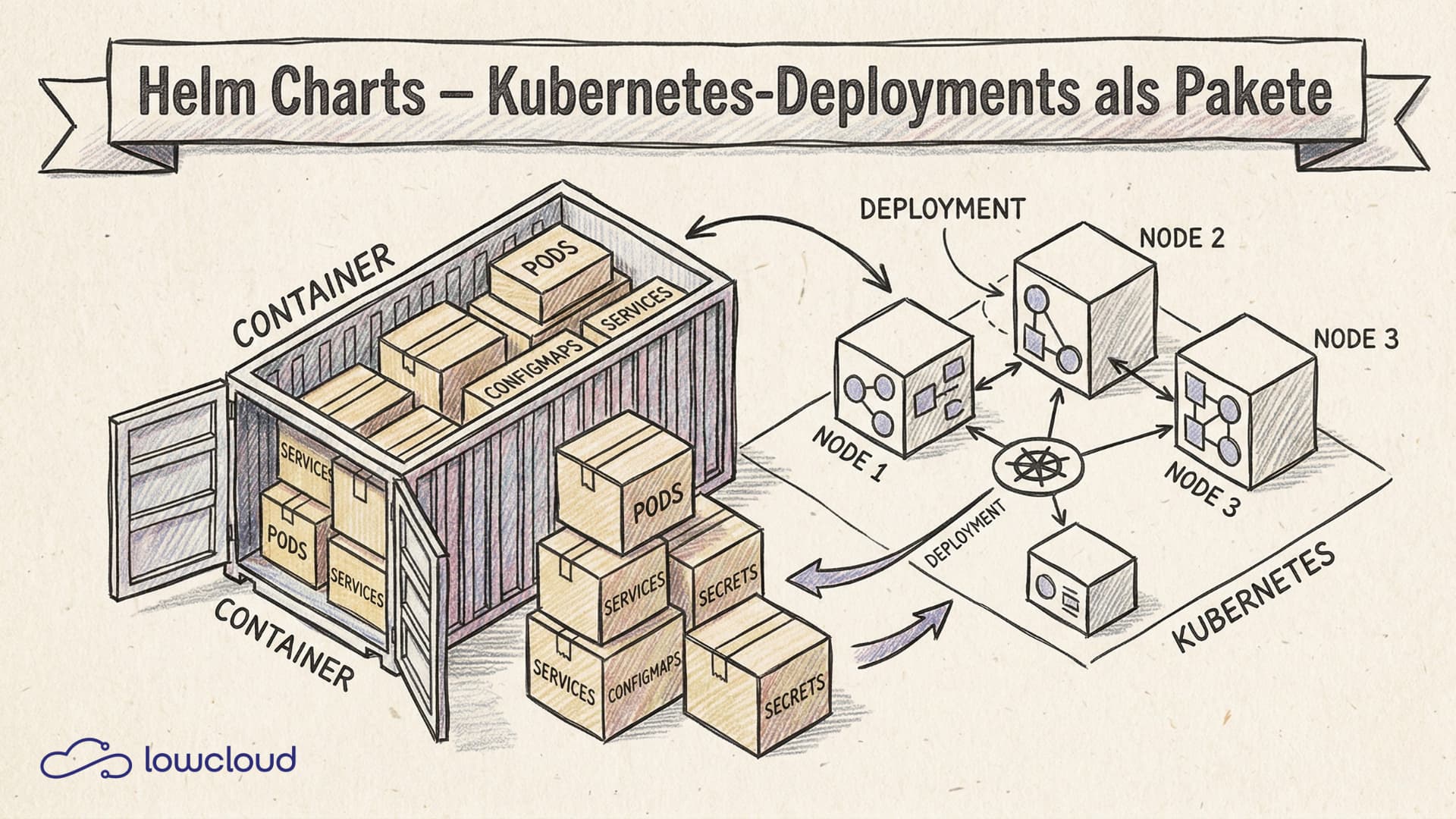
Anyone running Kubernetes seriously knows the problem: an application consists of a Deployment, a Service, a ConfigMap, maybe a HorizontalPodAutoscaler, and an Ingress. That's five YAML files — per environment. And you already have a management problem. Helm charts are the standard answer to this complexity. They bundle all Kubernetes resources of an application into a versioned, configurable package.
This article explains how Helm charts are structured, how templating works, and when it makes sense to use them.
What is Helm and what is a chart?
Helm is the package manager for Kubernetes. If you think of apt for Debian, Homebrew for macOS, or npm for Node.js, you're conceptually close. Helm installs, updates, and uninstalls applications on a Kubernetes cluster while keeping track of the state of each installation.
A Helm chart is the package format Helm uses. At its core, it's a collection of files in a defined directory structure that together describe what should be deployed to the cluster, parameterised via a central configuration file.
The key advantage over raw YAML: instead of maintaining separate copies for each environment, you define the structure once and adjust what differs via a values file or CLI parameters.
Structure of a Helm chart
A freshly created chart looks like this:
my-app/
├── Chart.yaml
├── values.yaml
├── charts/
└── templates/
    ├── deployment.yaml
    ├── service.yaml
    ├── _helpers.tpl
    └── NOTES.txt
Chart.yaml
This file contains the chart's metadata:
apiVersion: v2
name: my-app
description: A Helm chart for my application
type: application
version: 0.1.0
appVersion: "1.2.3"
version is the version of the chart itself — that is, of the package. appVersion describes the version of the application being deployed. The two are independent and should be versioned separately.
values.yaml
This is where the default values for all configurable parameters live:
replicaCount: 2

image:
  repository: my-registry/my-app
  tag: "1.2.3"
  pullPolicy: IfNotPresent

service:
  type: ClusterIP
  port: 80
These values are the control point for everything that differs between environments. If you need different replica counts or a different image tag for production, you only override this file — the templates stay unchanged.
The templates/ directory
This is where the actual Kubernetes manifests live — but with placeholders instead of fixed values:
apiVersion: apps/v1
kind: Deployment
metadata:
  name: {{ include "my-app.fullname" . }}
spec:
  replicas: {{ .Values.replicaCount }}
  selector:
    matchLabels:
      {{- include "my-app.selectorLabels" . | nindent 6 }}
  template:
    spec:
      containers:
        - name: {{ .Chart.Name }}
          image: "{{ .Values.image.repository }}:{{ .Values.image.tag }}"
The double curly braces {{ }} are Go template syntax. .Values accesses values.yaml, .Chart accesses Chart.yaml.
How Helm templating works
Helm uses the Go template engine, extended with a range of additional functions from the Sprig library. This gives you conditionals, loops, string manipulation, and custom helper functions.
A simple example with a conditional:
{{- if .Values.ingress.enabled }}
apiVersion: networking.k8s.io/v1
kind: Ingress
metadata:
  name: {{ include "my-app.fullname" . }}
{{- end }}
Or a loop over multiple hosts:
rules:
  {{- range .Values.ingress.hosts }}
  - host: {{ .host | quote }}
    http:
      paths:
        {{- range .paths }}
        - path: {{ .path }}
        {{- end }}
  {{- end }}
Custom helper functions live in _helpers.tpl. The file starts with an underscore so Helm doesn't treat it as a standalone manifest. There you define named templates that you pull into the other files via include.
With helm template my-app ./my-app you can render the YAML locally — useful for debugging before you let anything loose on the cluster.
Helm commands for daily use
The most important operations:
# Install a chart
helm install my-release ./my-app

# Override with custom values
helm install my-release ./my-app -f production-values.yaml

# Upgrade an existing installation
helm upgrade my-release ./my-app --set image.tag=1.3.0

# Install or upgrade (idempotent — good for CI)
helm upgrade --install my-release ./my-app

# Show status of an installation
helm status my-release

# List all releases
helm list

# Rollback to an earlier version
helm rollback my-release 1

# Uninstall
helm uninstall my-release
Helm stores the state of each installation as a release in the cluster (as a Secret or ConfigMap) and manages revisions. That allows rollback to an earlier version with a single command.
Chart repositories and Artifact Hub
Ready-made charts for common software can be found on Artifact Hub, the central directory for public Helm charts. There are charts for cert-manager, ingress-nginx, Prometheus, PostgreSQL, and hundreds more.
Adding a repository and installing from it:
helm repo add ingress-nginx https://kubernetes.github.io/ingress-nginx
helm repo update
helm install ingress-nginx ingress-nginx/ingress-nginx
For your own charts, you can run a private repository — classically as a static HTTP server with an index.yaml, or in a more modern way as an OCI registry. Since Helm 3.8, OCI support is stable, and many teams use their existing container registry for both charts and images.
Creating a Helm chart. Deploying your own application
Creating a new chart:
helm create my-app
This generates the full directory structure with example templates for a Deployment including Service, Ingress, HPA, and ServiceAccount. The generated code is functional and a good starting point.
From there you adapt values.yaml to your application and clean up the templates by removing anything you don't need. You can test this with:
# Check rendering
helm template my-release ./my-app -f my-values.yaml

# Lint check
helm lint ./my-app

# Dry-run against the cluster
helm install my-release ./my-app --dry-run
Before you run a chart in production, it's worth running helm lint, which checks for common problems in chart structure and templates.
Helm vs. Kustomize. When to use what?
Both tools solve the YAML management problem in Kubernetes, but with different approaches.
Kustomize works with overlays: you have a base configuration and layer environment-specific changes on top, without templates or variables. It's closer to plain YAML and doesn't introduce its own DSL. It's been built into kubectl since version 1.14.
Helm relies on templating and packaging. It's more powerful for complex configurations, but has a steeper learning curve and more moving parts.
Rules of thumb from practice:
- Deploying third-party software (cert-manager, Prometheus, etc.)? Helm, because the maintainers ship it as a chart.
- Managing your own apps across many environments with different configurations? Helm works well, but Kustomize is often clearer.
- Want to stay GitOps-friendly and prefer plain YAML? Kustomize.
- Need rollback functionality and release tracking? Helm.
Many teams combine both: Helm for installing external charts, Kustomize for their own application configuration.
Helm in CI/CD and GitOps
In CI/CD pipelines, helm upgrade --install is the standard command — it installs if nothing is there yet, and upgrades otherwise. This makes pipelines idempotent:
helm upgrade --install my-app ./chart \
  --namespace production \
  --create-namespace \
  --set image.tag=$CI_COMMIT_SHA \
  -f environments/production/values.yaml
In GitOps setups with ArgoCD or Flux, Helm is natively supported. ArgoCD can point directly at chart repositories and manage Helm releases as Application resources. Flux brings its own HelmRelease custom resource type. The benefit: the desired state lives in the Git repository, and the cluster reconciles itself automatically.
For secrets in Helm there are several approaches: the Helm Secrets plugin (works with SOPS or Vault), External Secrets Operator, or a Secret Store CSI driver. Values with passwords or API keys don't belong in values.yaml unencrypted — that's one of the most common security mistakes in Helm use.
Helm charts are today the de facto standard for structured Kubernetes deployments — for both standard software and your own applications. The learning curve is manageable: helm create generates a functional chart in seconds, and the concepts of templating and releases become clear quickly in practice.
Teams running Kubernetes on a platform with native Helm support get an extra benefit: lowcloud offers a Kubernetes environment where Helm deployments just work, without the infrastructure overhead around them. That lets teams focus on chart content, not cluster management.
What is Docker Swarm? Container Orchestration Built In
Docker Swarm explained: clusters, services, overlay networks, and how it compares to Kubernetes. When Swarm is the right choice for container orchestration.
Docker vs Kubernetes: Compose, Swarm, and K8s Compared
Docker, Docker Compose, Docker Swarm, and Kubernetes head-to-head: which tool fits which problem, and when does it make sense to switch?