What Is Kustomize? Managing Kubernetes Configs Cleanly

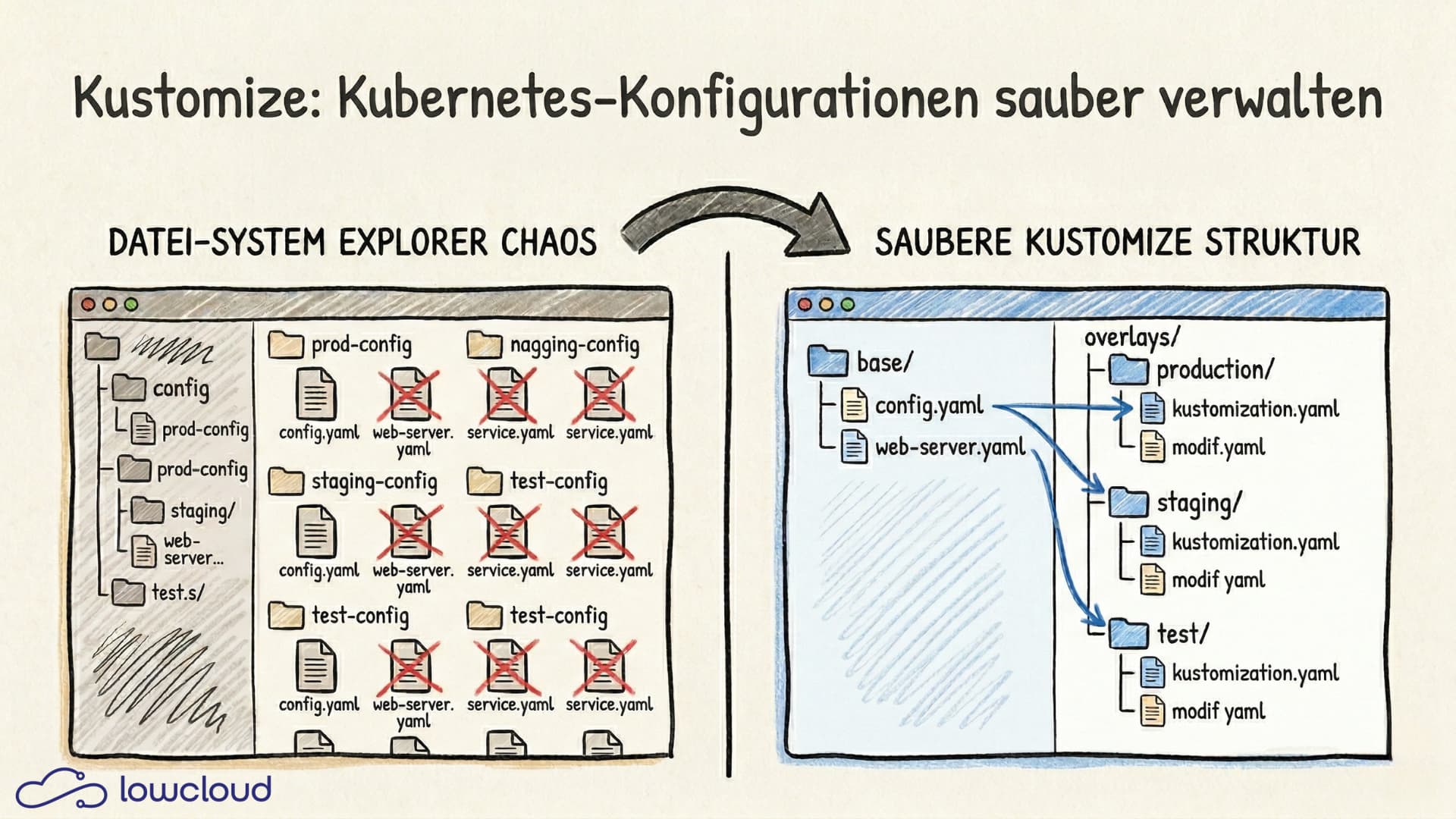
Anyone running multiple environments on Kubernetes knows the problem: the same manifests slightly tweaked for dev, staging, and prod, and at some point something just doesn't match up anymore. Kustomize solves exactly this problem without falling back on a templating language. The result: YAML files that always remain valid Kubernetes YAML but can still be adapted flexibly.
The problem with copy-paste configurations
A typical Kubernetes project starts innocently enough: a Deployment, a Service, maybe an Ingress. Then the second environment comes along, and you copy the files and change a few values. Then the third. Eventually you end up with six directories that are 90% identical and no reasonable way to roll out a change consistently.
This isn't a rare edge case — it's the normal state in growing teams that built out deployments quickly without a deliberate structure. Kustomize addresses exactly this: instead of duplicating files, you describe differences relative to a base.
What is Kustomize and how does it work
Kustomize is an open-source tool for the declarative management of Kubernetes configurations. It was developed by Google and has been integrated directly into kubectl since Kubernetes 1.14. The core principle: there is a base — a foundational configuration — and overlays that adapt this base to different contexts.
Important: Kustomize doesn't use a templating language. All files remain valid Kubernetes YAML at all times — no .Values.image, no logic, no loops. That makes the configuration significantly easier to read and reduces the cognitive load when reviewing changes.
The kustomization.yaml — the heart of it all
Every Kustomize structure revolves around the kustomization.yaml file. It describes which resources should be combined and which modifications should be applied:
apiVersion: kustomize.config.k8s.io/v1beta1
kind: Kustomization

resources:
  - deployment.yaml
  - service.yaml

namePrefix: dev-

commonLabels:
  environment: development
This file is the only place where Kustomize "knows" what should happen with the resources. All other files remain untouched.
Bases and overlays in practice
The typical directory structure looks like this:
k8s/
├── base/
│   ├── deployment.yaml
│   ├── service.yaml
│   └── kustomization.yaml
└── overlays/
    ├── dev/
    │   └── kustomization.yaml
    ├── staging/
    │   └── kustomization.yaml
    └── prod/
        ├── kustomization.yaml
        └── replica-patch.yaml
The kustomization.yaml in the prod overlay references the base and adds a patch:
resources:
  - ../../base

patches:
  - path: replica-patch.yaml
The patch itself is again valid YAML and only overwrites the fields that differ in production — for example, the number of replicas.
Patches and transformations
Kustomize supports two types of patches, each suited for different use cases.
A strategic merge patch works as if you were laying a YAML fragment over the original. You only specify the fields that should change, and the rest remains intact:
apiVersion: apps/v1
kind: Deployment
metadata:
  name: my-app
spec:
  replicas: 3
A JSON patch is more precise and allows targeted operations like add, remove, or replace on individual fields via JSONPath syntax. For most use cases, the strategic merge patch is enough. JSON patch makes sense when you need to, for example, remove a single element from a list or insert something at a specific position.
Kustomize also offers transformations like namePrefix, nameSuffix, and commonLabels, which are applied globally to all resources. This is especially useful for uniquely naming resources across different overlays and avoiding confusion.
ConfigMap and secret generators
A common problem in Kubernetes projects: ConfigMaps and Secrets are updated manually, but Pods don't notice and keep running with the old values until the next restart. Kustomize solves this with generators.
configMapGenerator:
  - name: app-config
    files:
      - config/app.properties
    options:
      disableNameSuffixHash: false
Kustomize computes a hash from the content of the referenced files and appends it to the ConfigMap's name. When the content changes, the name changes — and Kubernetes automatically rolls out the Deployment again. If you don't want this behavior, you can disable it with disableNameSuffixHash: true.
For Secrets, the principle is identical, except the values are base64-encoded. Sensitive data obviously shouldn't live directly in the kustomization.yaml — it should be supplied via external secret-management solutions. Kustomize is not a replacement for those.
kubectl kustomize — directly integrated
Since Kubernetes 1.14, Kustomize is usable without a separate installation. Instead of kustomize build piped manually into kubectl apply, a single command is enough:
kubectl apply -k overlays/prod/
The -k flag tells kubectl to interpret the directory as a Kustomize structure. If you want to inspect the generated manifests before applying, you can print them to stdout with kubectl kustomize overlays/prod/.
The version built into kubectl lags slightly behind the standalone kustomize binary. If you need the latest features or bug fixes, it's best to install Kustomize separately:
# With brew (macOS/Linux)
brew install kustomize

# Or directly via Go
go install sigs.k8s.io/kustomize/kustomize/v5@latest
Kustomize vs. Helm. Which tool when?
This is one of those questions that comes up regularly in Kubernetes teams and has no universal answer.
Helm is a full package manager with a templating engine. It allows logic in configurations, manages release history, and supports rollbacks. Helm is the right choice when you're distributing packages — finished, reusable application charts that will be installed by other teams or organizations.
Kustomize isn't a package manager — it's a configuration overlay tool. It's the better choice when you want to ship your own deployments to different environments without needing templating logic. The configuration stays simpler, the files stay readable, and there's no additional layer of abstraction.
In practice, the two don't exclude each other. A common pattern is to use Helm for the initial rendering of charts (helm template) and then overlay the generated manifests via Kustomize. That combines Helm's packaging capabilities with Kustomize's simplicity for environment-specific adjustments.
Kustomize in GitOps workflows
Kustomize and GitOps fit together well because both are built on the principle of "Git as the single source of truth." Tools like ArgoCD and Flux have native Kustomize support built in.
With ArgoCD, it's enough to specify the overlay directory in the Application resource:
source:
  repoURL: https://github.com/example/k8s-config
  targetRevision: HEAD
  path: overlays/prod
ArgoCD automatically detects that this is a Kustomize structure and renders the manifests accordingly. Changes to the base or an overlay trigger a sync — the cluster always stays aligned with the state in the repository.
Flux works similarly through the Kustomization CRD, which points to a directory in the repository and syncs either on a schedule or event-driven.
The result is a traceable, audited deployment process: every configuration change is a Git commit with an author, timestamp, and diff.
Conclusion
Kustomize is a pragmatic answer to a very real Kubernetes problem: the same resources across different environments. Instead of copy-paste YAML or complex templating logic, base + overlays give you a clean, reviewable structure — while staying fully within valid Kubernetes YAML.
If you're running your own workloads and mostly need to manage variants (dev/staging/prod, customer- or tenant-specific adjustments, feature toggles via patches), Kustomize is often the simplest and most robust choice. Helm remains strong when you want to package, distribute, and manage releases — and in many teams, the two tools even work in combination.
The bottom line: Kustomize reduces friction, minimizes sources of error, and makes GitOps workflows significantly more pleasant — especially when your infrastructure grows and you still want to stay in control.
Docker vs Kubernetes: Compose, Swarm, and K8s Compared
Docker, Docker Compose, Docker Swarm, and Kubernetes head-to-head: which tool fits which problem, and when does it make sense to switch?
What Is Kubernetes? A Practical Guide to Container Orchestration
What is Kubernetes and how does container orchestration work? Learn about K8s architecture, Pods, Services, auto-scaling, and when Kubernetes is the right fit for your project.