DevOps Tool Sprawl: How It Happens and How to Stop It

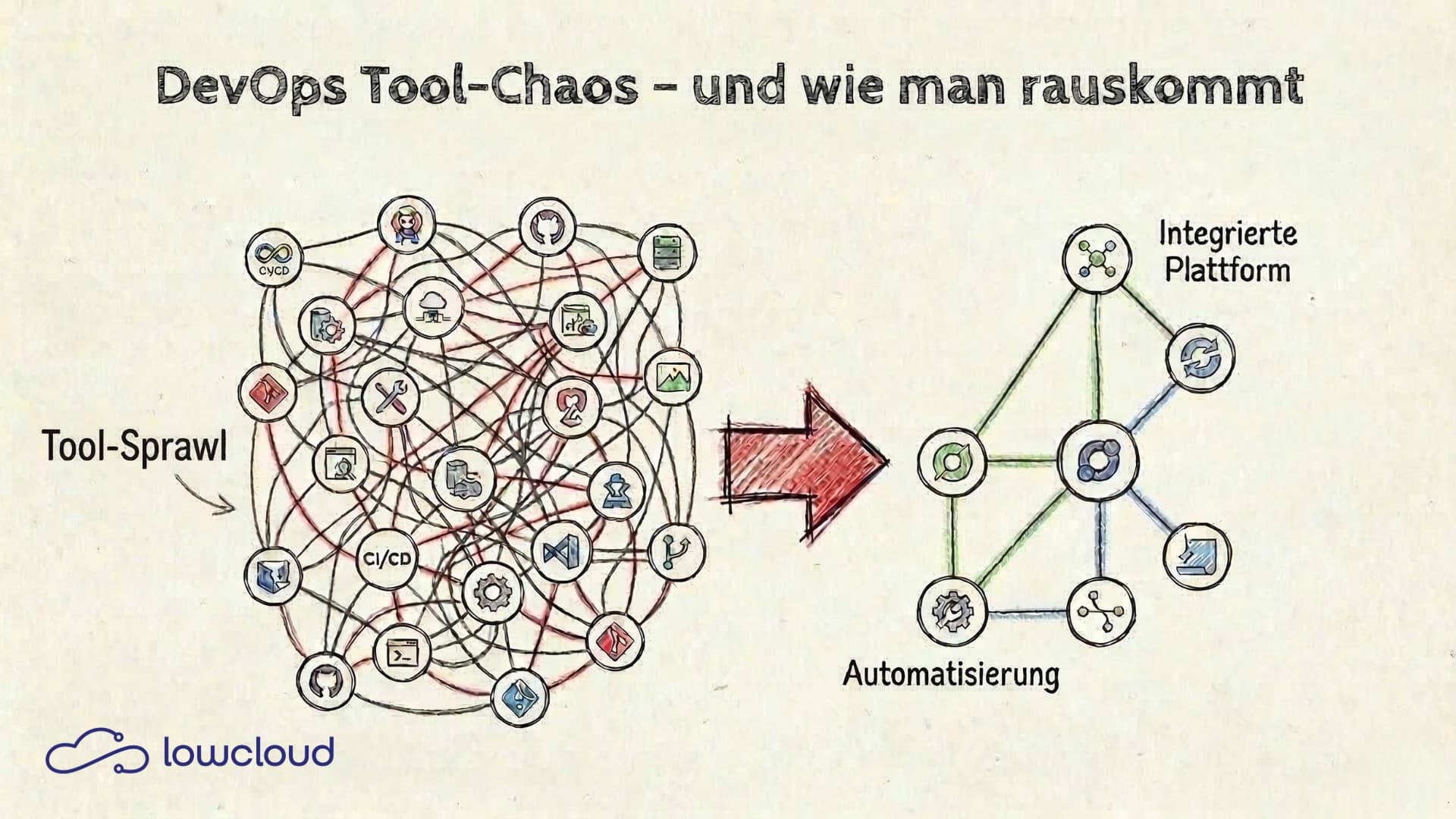
DevOps tool chaos rarely starts with a single bad decision. It's the result of dozens of pragmatic choices that each made sense on their own but together create a system no one fully understands anymore. This article shows how tool sprawl happens in practice, what it really costs, and how targeted standardization makes teams effective again.
How Tool Sprawl Starts in DevOps Teams
The pattern is almost always the same: A new project kicks off, the developer who takes it on knows Jenkins well, so Jenkins gets set up. Six months later, another developer joins who prefers GitLab CI. The next project runs on GitHub Actions because the repo is already hosted there. Two years in, the company has three CI systems, and no one knows which project deploys where anymore.
The same thing happens with monitoring: Prometheus here, Datadog there, CloudWatch for the AWS services, and somewhere an old Nagios setup that nobody actually touches anymore. Tool sprawl isn't a sign of bad planning — it's the natural result of growth without active consolidation.
The problem isn't choosing a tool. The problem is never deciding against the old one once something new comes in.
What Tool Chaos Really Costs
The obvious cost factor is licensing and maintenance. But that's almost never the real problem. The actual costs come from somewhere else.
Cognitive Load as an Underestimated Factor
Every tool brings its own configuration syntax, its own concepts, its own error patterns. Developers who have to switch daily between Terraform HCL, Helm templates, Jenkins pipeline Groovy syntax, and Prometheus alerting YAML pay a mental price for it. Cognitive load accumulates, even when you don't notice it directly.
It shows up in small things: you write a pipeline and have to look up which syntax this particular system uses. You debug a deployment error and need ten minutes to remember which monitoring tool is responsible for this service. Individually it's nothing, but it adds up to hours per week per person.
Onboarding: The Hidden Cost
Getting new team members up to speed in tool-heavy environments takes longer than it should. Not because of the complexity of individual tools, but because of the sheer number. Someone joining a team with five different CI setups doesn't have to learn one system — they have to learn five. On top of that come the undocumented quirks of each setup that only the person who originally configured it knows about.
This hits small teams especially hard. When someone is unavailable or leaves the company, the knowledge about a specific setup is often gone for good.
The Difference Between Useful Diversity and Actual Chaos
Not all tool diversity is a problem. Some specialization is justified: a security team with different requirements than the delivery team is allowed to use its own tools. A data engineering setup looks different from a backend deployment pipeline. That's normal.
DevOps tool chaos happens when diversity reflects habits rather than requirements. When the same problem (CI/CD for a standard web app) is solved with three different solutions because there was never a decision about which one should be the standard.
The test is simple: can everyone on the team explain why a particular tool was chosen for each use case? If the answer is regularly "it was just already there," that's not a conscious architecture decision — that's organic chaos.
DevOps Standardization in Practice
Standardization sounds like bureaucracy but is pragmatism at its core. Using the same pipeline template for every new service means no time wasted on setup. Using the same monitoring setup for all services means finding problems faster because you know the dashboards. Standardization is an upfront investment that pays off with every additional service.
One CI System for All: How to Migrate
The first step is choosing one system. It sounds trivial, but in practice this decision is often avoided because it implies that other systems need to be replaced. But that's exactly the point.
Criteria for the choice:
- Which system is used most frequently?
- Which offers the best integration with your repository hosting?
- Where does the most internal expertise lie?
The migration itself doesn't have to be big-bang. A pragmatic approach: the new system becomes the standard for all new projects. Existing setups get migrated when changes are needed anyway. Within six to twelve months, the tool landscape is consolidated without ever having to launch a major migration project.
GitOps: Git as the Single Source of Truth
GitOps isn't a tool — it's a principle: the desired state of infrastructure and deployments is fully described in Git. What's in Git is deployed. What's not in Git doesn't exist.
It sounds simple, but the consequences are far-reaching. No more manual deployments that need to be documented somewhere. No drift between what's running in monitoring and what the team believes is deployed. And a clear audit trail for every change.
Tools like Argo CD or Flux implement this principle at the Kubernetes level. But even without dedicated GitOps tools, the principle helps: pipeline configurations, Helm charts, infrastructure as code — all in Git, with review processes for changes.
Kubernetes as a Standardization Layer
Kubernetes isn't just an orchestrator — it's a shared language for deployments. Using Kubernetes as a foundation automatically gives you standardized concepts: Deployments, Services, ConfigMaps, Secrets, Namespaces. Helm charts enable reusable, parameterizable deployment templates.
This significantly reduces tool diversity at the deployment level. Instead of writing a custom deployment script per project, there's a shared Helm chart library used for all standard services. New services follow the same pattern. Setup and debugging effort drops.
Platform Engineering as the Solution for DevOps Tool Chaos
DevOps standardization can be introduced manually, but it takes time and requires disciplined maintenance. The next step is transitioning to a platform engineering approach: instead of letting each team maintain its own setup, a central platform team provides an internal developer platform.
This platform bundles standardized tools, pipelines, and deployment patterns and makes them available as self-service. Developers no longer need to deal with CI configuration or Kubernetes manifests. They use the platform and can focus on their actual work.
For smaller teams that can't or don't want to build their own platform team, Platform-as-a-Service (PaaS) and DevOps-as-a-Service (DaaS) solutions like lowcloud offer this approach as a managed service. The platform comes with the standards built in: standardized deployment workflows on a Kubernetes basis, integrated monitoring, unified CI/CD integration. Teams don't have to build and maintain their own toolchain. They deploy on a platform that has already solved this for them.
Structuring Tool Decisions: A Simple Framework
Before introducing a new tool, ask three questions:
1. Does this tool solve a problem we actually have, or one we anticipate?
Many tools end up in the toolchain because they sounded interesting in a blog post. If there's no concrete problem behind it, the chances are high that the tool won't be actively used after six months — but will still need to be maintained.
2. Do we already have a tool that solves this problem?
Sometimes the answer to a problem isn't a new tool but better use of an existing one. If you already have Prometheus, you don't need a second alerting system — you need better alerting rules.
3. Who is responsible for operations, updates, and documentation?
A tool without a clear owner is a future problem. If nobody specifically takes responsibility, it will sooner or later become part of the chaos.
These three questions don't prevent good tool decisions. They prevent impulsive ones.
Tool chaos in DevOps is solvable — but not with yet another tool. It requires a conscious decision for less: fewer systems, more depth, clearer standards. Building on a platform that already brings these standards means skipping the painful consolidation work and focusing on what matters: software that works and can be deployed without everyone needing to know exactly how.
Manual Deployments: An Underestimated Risk for SMBs
Why manual software deployments cause outages, security gaps, and technical debt in mid-sized companies – and how CI/CD automation solves it.
Kubernetes Monitoring: Using Logs and Metrics Effectively
How logs and metrics work together in Kubernetes, where they differ, and what a solid monitoring stack needs to deliver in practice.