Build Settings
Last updated: April 3, 2026
The Build Settings define where your code comes from and how your app is built.
Source Configuration
The Source Configuration determines where your App Service gets its container image from. You can either connect a GitHub repository — lowcloud then automatically builds an image from your code — or use a pre-built Docker image directly from a container registry.
GitHub Repository
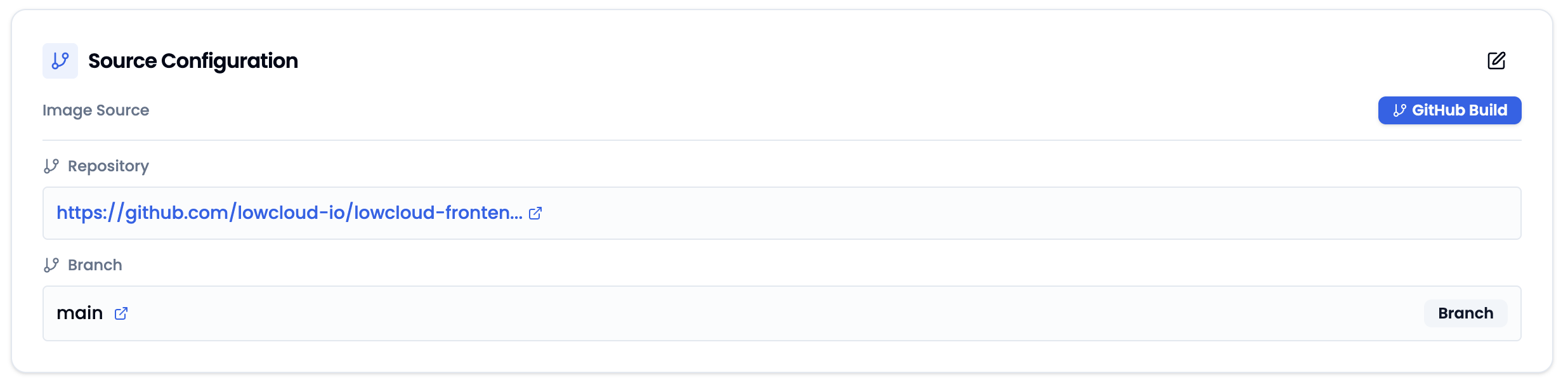
Connect a GitHub repository to build your app directly from source code. The repository is selected when creating the App Service and cannot be changed afterwards. The branch can be adjusted at any time.
Docker Registry
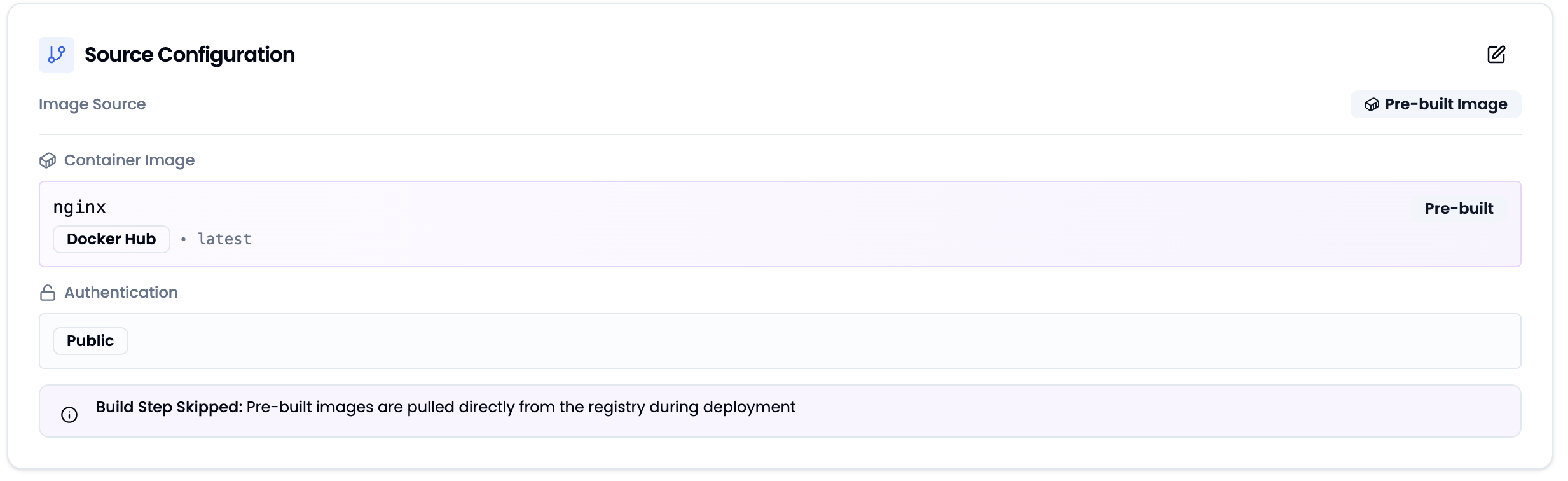
Instead of building from source code, you can use a pre-built Docker image directly from a container registry. The build step is skipped — the image is pulled directly from the registry during deployment.
The Dashboard shows the current image configuration at a glance — including image name, registry, and authentication status. The build step is skipped since the image is pulled directly from the registry.
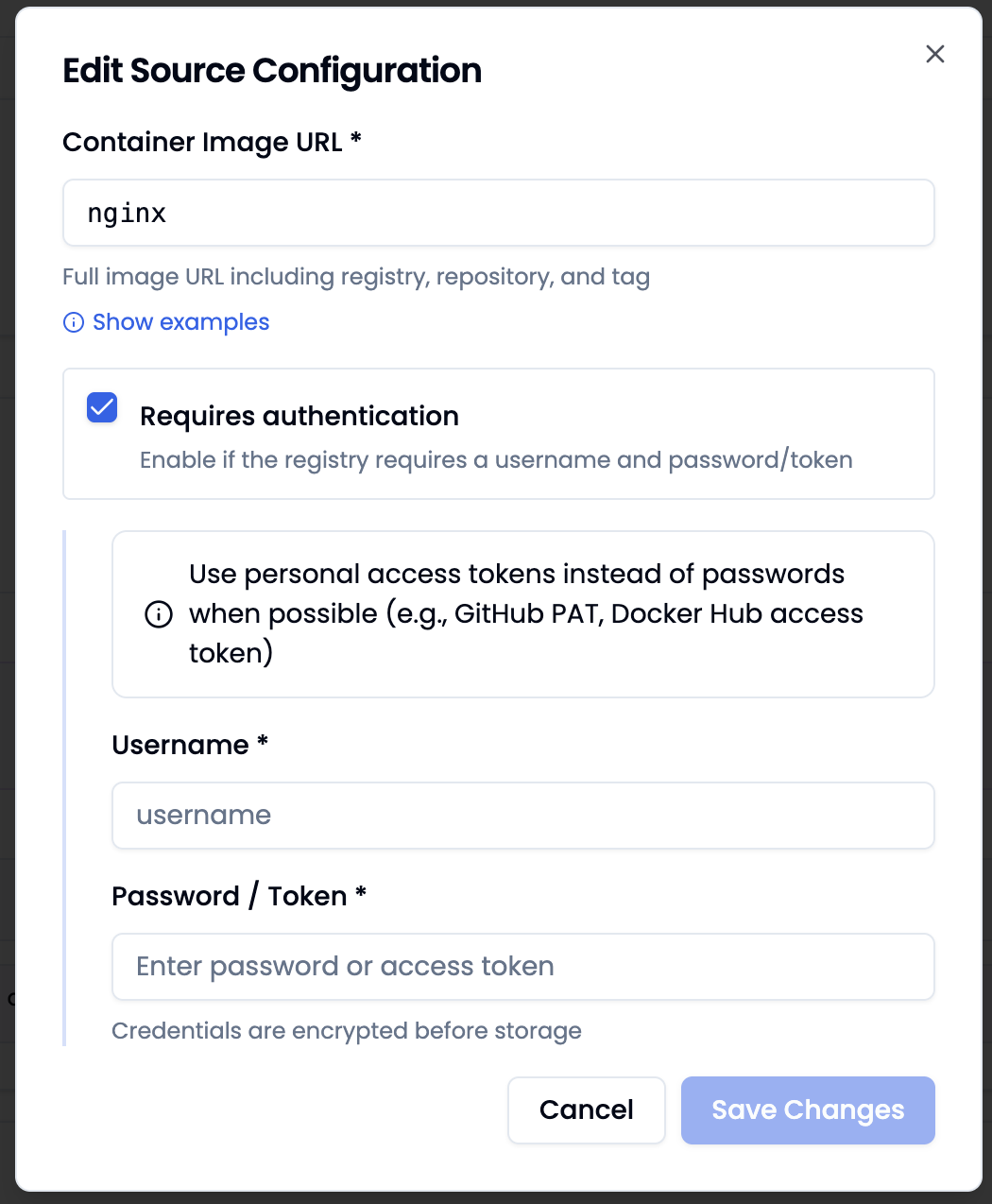
In the edit dialog, you can adjust the Container Image URL — enter the full image name including registry, repository, and tag (e.g. nginx, ghcr.io/my-org/my-app:latest). For private registries, enable Requires authentication and provide a username and password or token. Use personal access tokens instead of passwords when possible. Credentials are encrypted before storage.
Build Configuration
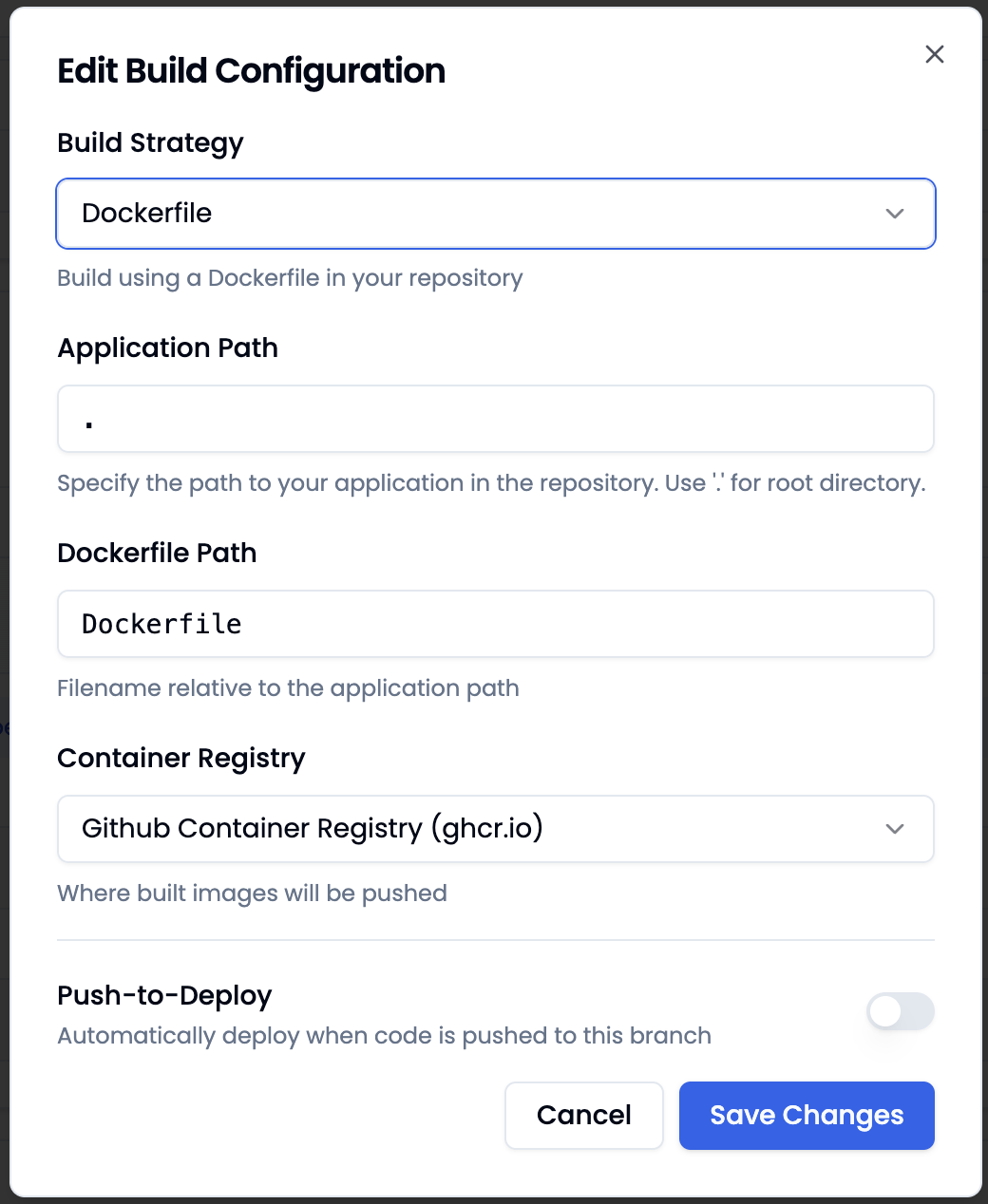
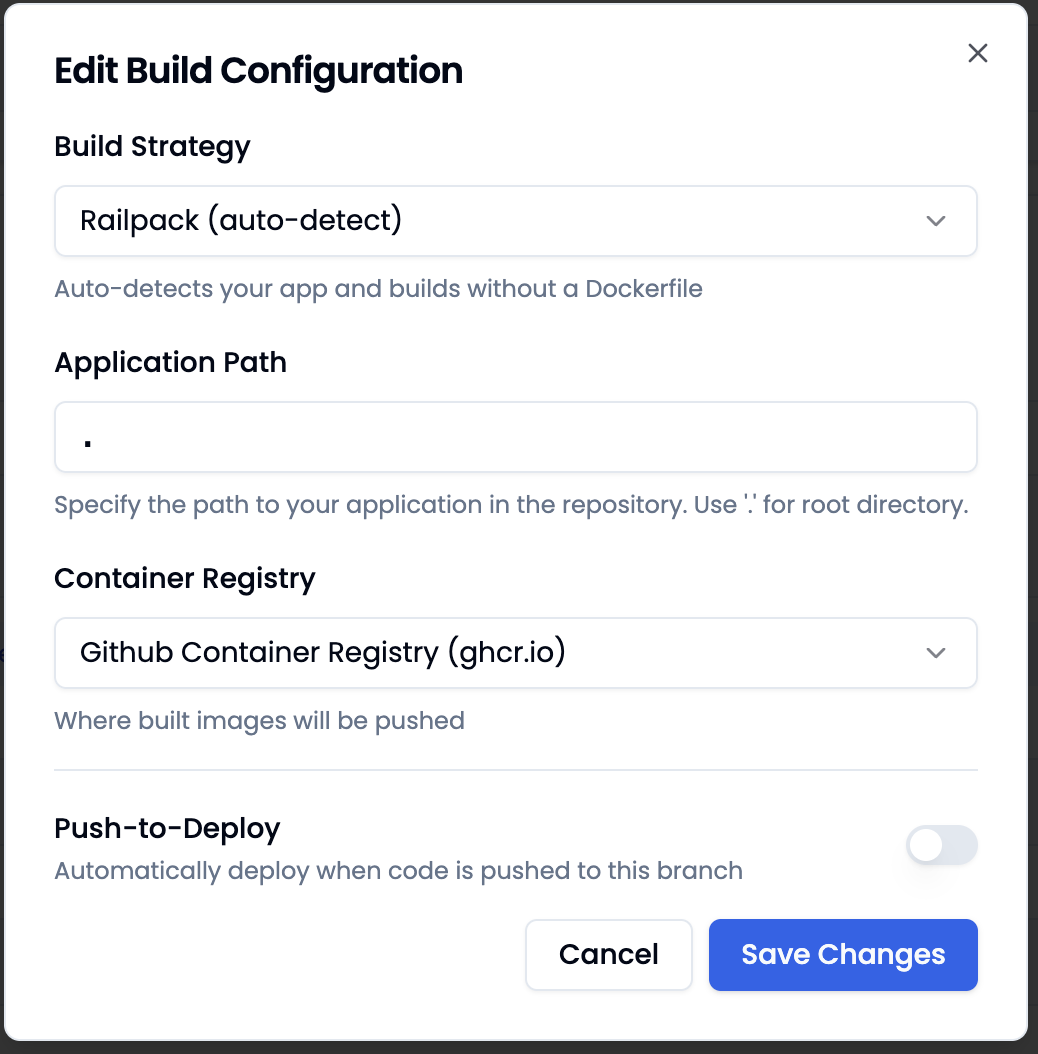
The Build Configuration defines how your app is built. This setting is only relevant when using a GitHub repository as the source. Additionally, you configure the Application Path, the Container Registry for built images, and Push-to-Deploy here.
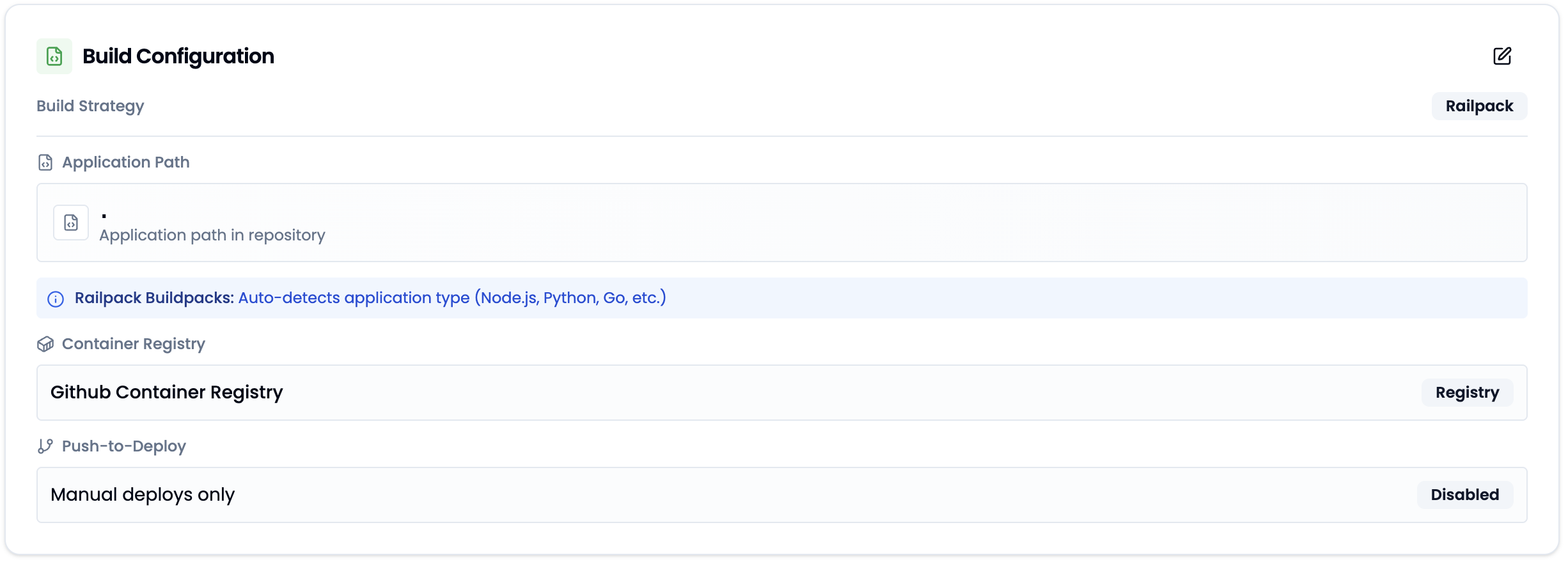
Railpack
Railpack automatically detects the application type (Node.js, Python, Go, etc.) and builds the app without a Dockerfile. This is the simplest way to deploy an app — no build configuration required.
| Field | Description |
|---|---|
| Application Path | Path to the app in the repository. . for the root directory. |
| Container Registry | The registry where the built image will be pushed. |
| Push-to-Deploy | Automatically deploy when code is pushed to the configured branch. |
Dockerfile
If your app includes its own Dockerfile, you can set the build strategy to Dockerfile. lowcloud builds the image using your Dockerfile.
| Field | Description |
|---|---|
| Application Path | Path to the app in the repository. . for the root directory. |
| Dockerfile Path | Filename of the Dockerfile relative to the application path (default: Dockerfile). |
| Container Registry | The registry where the built image will be pushed. |
| Push-to-Deploy | Automatically deploy when code is pushed to the configured branch. |