

Connect a Container Registry
Last updated: March 16, 2026
Container registries are external Docker registries that you connect to lowcloud for building and deploying your apps. They serve as the central storage for your container images.
How Container Registries Work in lowcloud
Container registries serve two purposes in lowcloud:
- Build – Your app is built inside the cluster. The resulting container image is then pushed to the connected registry.
- Deploy – During deployment, the Kubernetes deployment pulls the image from the registry and starts your app.
Code Push → Build in Cluster → Image Push to Registry → Deploy from Registry
You can use any Docker-compatible registry – e.g. GitHub Container Registry (ghcr.io), Docker Hub, GitLab Container Registry, or a self-hosted registry.
Prerequisites
- Access to the lowcloud dashboard
- An external container registry with valid credentials
Example: Connect GitHub Container Registry (ghcr.io)
1. Create a GitHub Personal Access Token
You need a GitHub Personal Access Token (classic) with the following permissions:
read:packages– Pull images from the registrywrite:packages– Push images to the registry
Create the token under GitHub → Settings → Developer settings → Personal access tokens → Tokens (classic).
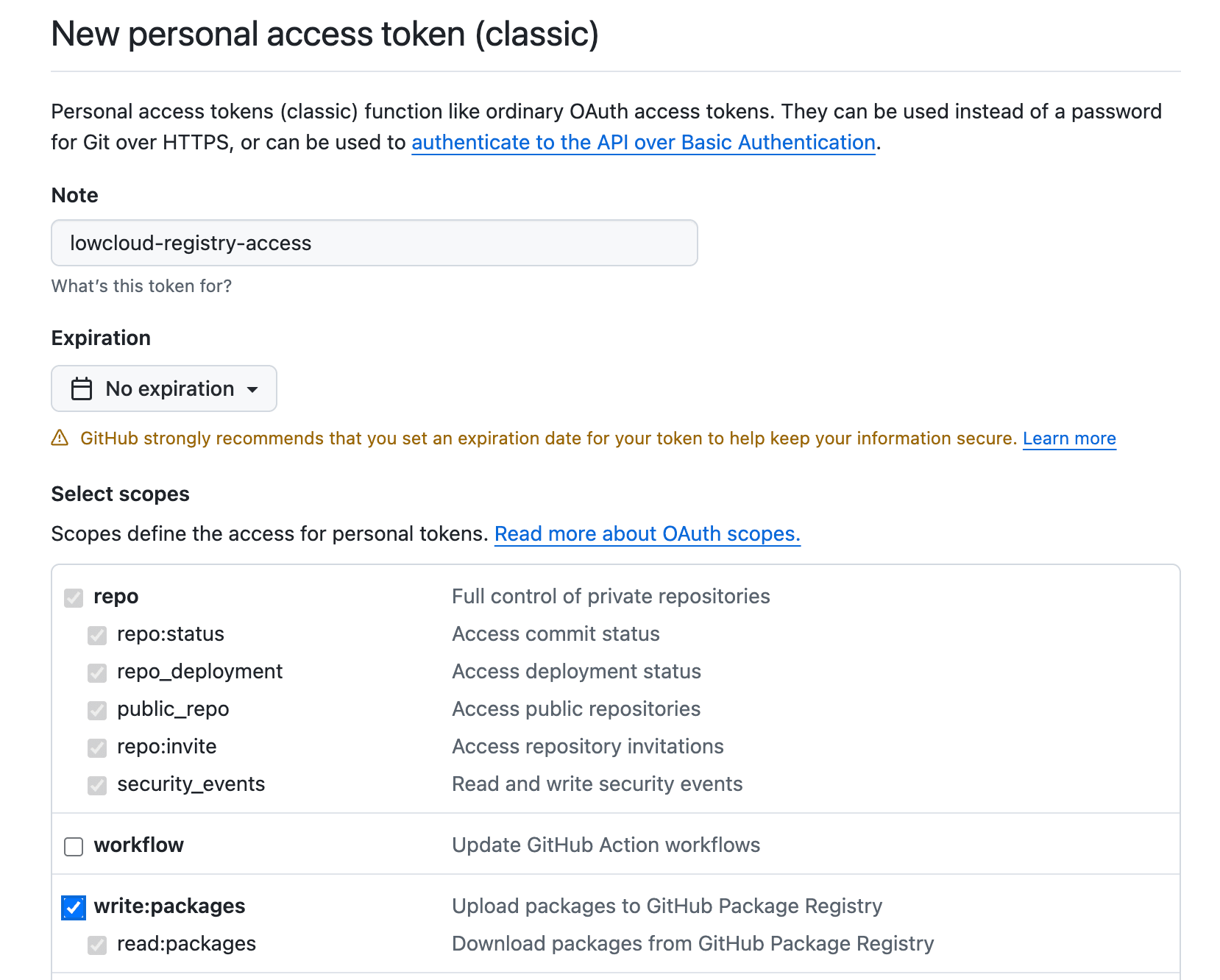
2. Add the Container Registry in lowcloud
Navigate to Settings → Container Registries in the lowcloud dashboard and click Add New.
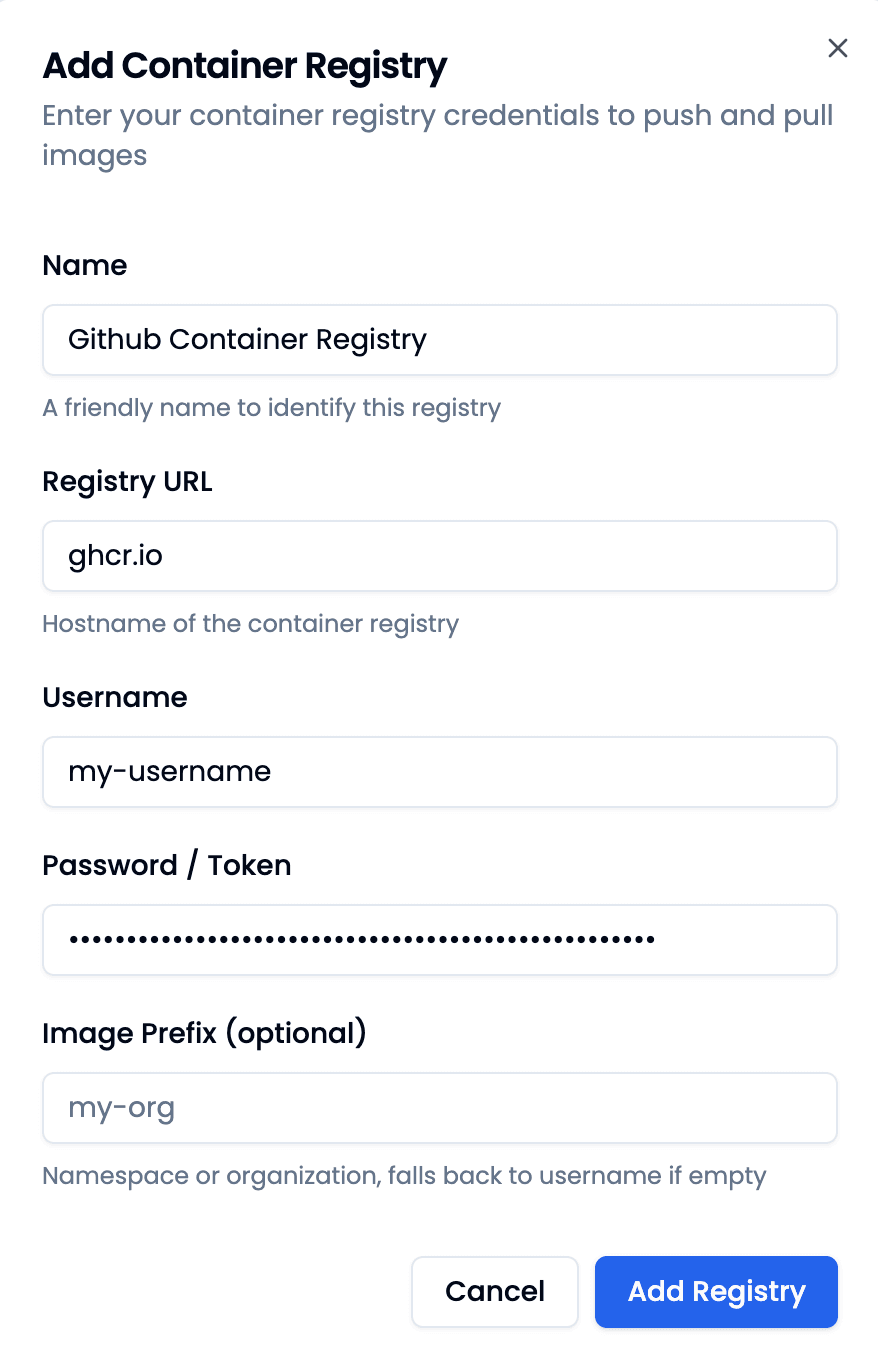
Enter the following details:
| Field | Value |
|---|---|
| Name | Github Container Registry |
| Registry URL | ghcr.io |
| Username | Your GitHub username |
| Password / Token | Your GitHub Personal Access Token |
| Image Prefix (optional) | Your GitHub organization or username |
Note: The Image Prefix field defines the namespace for your images (e.g. your organization). If left empty, it falls back to your username.
3. Save the Registry
Click Add New. The registry is now connected and available for builds and deployments.
Summary
- Container registries are external Docker registries for your container images
- lowcloud uses them to push (after build) and pull (during deploy) images
- You can connect any Docker-compatible registry