

Software Deployment for SMBs: How Small Teams Ship Faster

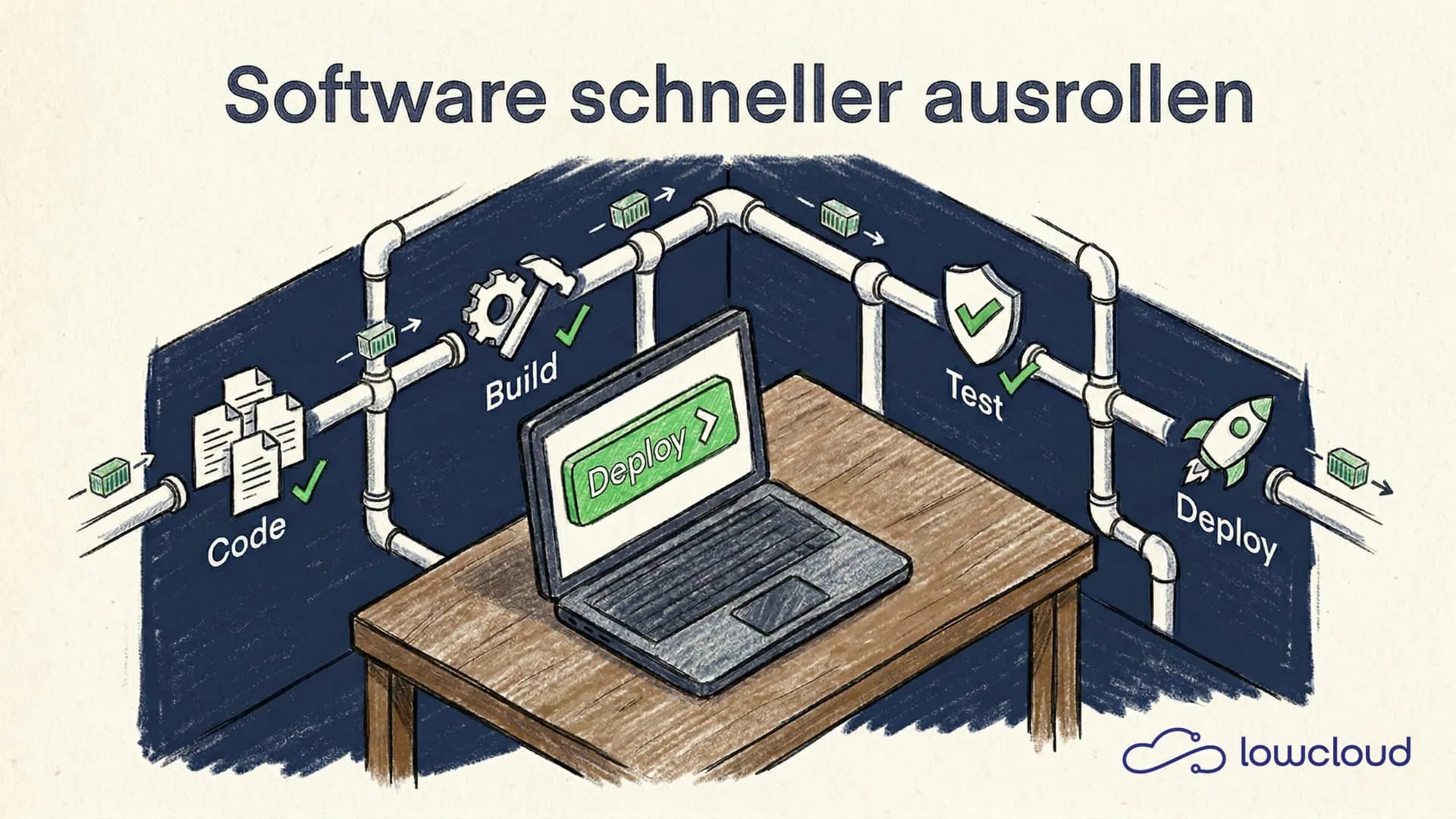
Many SMBs spend more time deploying software than developing it. The reason is rarely a lack of skill — it's processes that grew organically and were never optimized for speed. That can be fixed without building a platform engineering team.
Why Slow Deployments Cost More Than They Save
A bug fix that takes three days to reach the customer isn't a technical problem. It's a business problem. Every hour between finished code and a live system is an hour where bugs stay visible, features go unused, and developers wait for feedback instead of moving forward. This is the deployment bottleneck many teams face today.
In typical SMB environments, deployment looks something like this: a developer builds locally, uploads an archive via FTP, logs into the server via SSH, and restarts the service — a pattern with well-documented risks. If it doesn't work, troubleshooting begins. It costs time, creates stress, and means the more frequently you deploy, the more effort it takes. A direct incentive to deploy less often.
The Typical Patterns in SMBs
The problem rarely lies with individuals. It lies with missing structures. When nobody has built a deployment pipeline because "it's worked so far," you end up with a system that's acceptable for a few releases per month but breaks down as soon as multiple teams or services are involved.
Then there's the fear of the deploy button. When deployments are manual and there's no rollback option, every rollout is a small gamble. This fear slows everything down — not just the technology, but the entire development culture.
CI/CD for SMBs: What It Actually Means
Continuous Integration (CI) and Continuous Delivery (CD) sound like enterprise infrastructure, but at their core they're a simple idea: every code commit automatically triggers a chain — tests run, a build is created, the result lands in the target environment. No human intervention required.
For an SMB, this doesn't necessarily mean Kubernetes, multi-cluster setups, or a dedicated platform team. It means a pipeline that is deterministic and repeatable. When the same steps always produce the same result, deployment becomes boring — and boring is exactly what you want.
What a Good Pipeline Needs to Do
A solid CI/CD pipeline for an SMB doesn't need much:
- Automated tests — unit tests, at minimum smoke tests. No deploy without green tests.
- Reproducible builds — container images are the way to go. Built once, deployable anywhere.
- Automated deployment — to staging first, then production, ideally with a manual approval step for critical environments.
- Rollback mechanism — the previous image must be active again in under five minutes.
Tools like GitHub Actions, GitLab CI, or Woodpecker CI cover this. Free, manageable in small teams, with solid documentation.
Kubernetes and PaaS: The Difference Between Effort and Value
Kubernetes is the foundation of most modern deployment infrastructure. But running Kubernetes yourself is expensive. Cluster upgrades, networking configuration, storage classes, RBAC, monitoring — these are all topics a small team can't handle on the side.
This is exactly where a PaaS platform (Platform as a Service) comes in. Instead of managing a Kubernetes cluster yourself, the development team gets a preconfigured environment where they can deploy applications — without worrying about the underlying infrastructure.
That sounds like a minor simplification. In practice, it's a difference of weeks to months of setup effort.
What a PaaS Platform Takes Off Your Plate
A well-built PaaS platform handles:
- Cluster management and upgrades — Kubernetes versions are updated without downtime
- Networking — ingress, TLS certificates, internal service discovery
- Scaling — Horizontal Pod Autoscaler works out of the box
- Baseline monitoring — metrics and logs are immediately available without setting up Prometheus yourself
- Access management — teams get isolated namespaces without needing Kubernetes expertise
For an SMB, this means developers can focus on their applications. The platform solves the infrastructure problems.
DevOps as a Service: PaaS Plus Implementation, Operations, and Accountability
A DevOps as a Service platform extends the PaaS approach with what still falls through the cracks at many SMBs: ongoing implementation, operations, and continuous optimization by an external team.
While a PaaS platform productizes the standard case (provisioning, deployments, scaling, baseline observability), DevOps as a Service typically also covers:
- Pipeline and platform engineering "done for you": CI/CD, GitOps setup, Helm/Kustomize, release processes.
- Operations & incident response: monitoring, alerting, on-call, troubleshooting, postmortems.
- Security & compliance work: hardening, policies, patch management, audits/docs.
- Migrations & edge cases: legacy workloads, custom integrations, non-standard deployments.
The advantages are clear, especially when speed matters more than internal enablement in the short term:
- Fast start: results in days instead of weeks, without immediate DevOps hires.
- Experienced execution: best practices come built in.
- Day-to-day relief: fewer interruptions for the dev team, less production stress.
The trade-off: the more that's solved through people, the more likely you are to create dependency, coordination overhead, and variable costs. That's exactly why the sweet spot for many teams is PaaS as a standard product plus DevOps as a Service for the rest. This is where DevOps-as-a-Service platforms like lowcloud come in.
GitOps as a Workflow: Push to Deploy Without Magic
GitOps isn't a tool — it's a principle: the Git repository is the single source of truth for the state of infrastructure and applications. Every change, whether a new feature, configuration update, or rollback, happens as a commit in Git.
For an SMB, this has a practical advantage: there's no separate "deploy process" anymore. Push to the main branch, the pipeline runs, the application is updated. The deployment log is the Git history — traceable, reversible, visible to everyone on the team.
Tools like Argo CD or Flux synchronize the desired state from Git with the actual state in the Kubernetes cluster. If the cluster deviates — say someone changed something manually — the system corrects itself automatically.
Safety Net: Rollbacks and Canary Deployments
Deploying faster doesn't mean taking on more risk. It means making the risk per deployment smaller — through more frequent, smaller changes and through mechanisms that catch problems early.
A rollback in the container context means: the previous image tag is set active again. Kubernetes executes this as a rolling update — zero downtime, familiar process. With a properly configured pipeline, you can execute a rollback in less than a minute.
Canary deployments go a step further: a new release initially receives only a small percentage of traffic. If error rate and latency stay normal, the system gradually rolls out. If problems arise, it automatically falls back. This isn't a concept reserved for large enterprises — it's a risk minimization strategy that makes particular sense for SMBs, because errors in production are expensive.
Where SMBs Can Start Today
The most common mistake when trying to speed up deployments: too much at once. Kubernetes, CI/CD, GitOps, monitoring — all in one sprint. The result is a half-finished setup that nobody understands and everyone finds frustrating.
A sensible starting point looks like this:
- Step 1: Containerization — every application gets a Dockerfile. If you don't have a Docker build yet, start here.
- Step 2: Simple CI pipeline — GitHub Actions or GitLab CI build the image on every commit. Tests run automatically.
- Step 3: Managed deployment target — instead of running Kubernetes yourself, the team uses a PaaS platform that manages the cluster.
- Step 4: Introduce a GitOps workflow — deployments happen through commits, not manual commands.
- Step 5: Document and test the rollback process — try it once before you need it.
Following this path, you can go from manual deployments to a fully automated workflow within a few weeks — without hiring a platform team.
Realistic timeline: An experienced developer can implement steps 1 through 3 in one to two weeks if the application is already containerizable. Steps 4 and 5 follow in the second iteration.
If you want to skip the infrastructure part, you can start with lowcloud — a Kubernetes DevOps-as-a-Service platform built specifically for teams that aren't Kubernetes experts. The platform handles cluster management, networking, and baseline observability so developers can focus on their applications. This significantly reduces the barrier to entry and lets you keep the focus where it belongs: on the code.
Minimalist Cloud Architecture: Why Less Complexity Means More Stability
Why fewer components in your cloud infrastructure lead to greater stability – and how teams can deliberately reduce Kubernetes complexity.
EU Data Act: What Businesses and DevOps Teams Need to Know
The EU Data Act has been in effect since 2025. What it means for cloud services, data portability, and DevOps — and what companies should do now.